 Early access
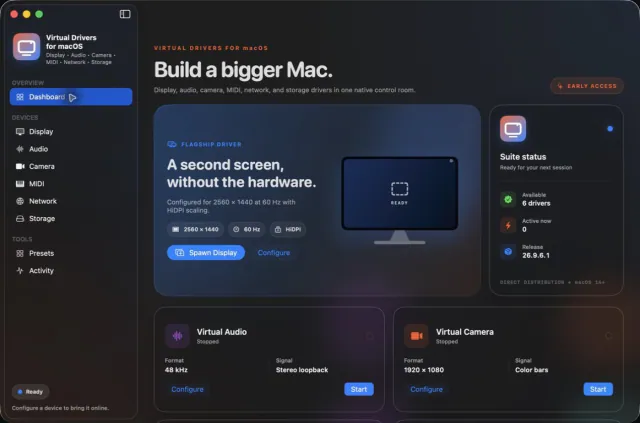
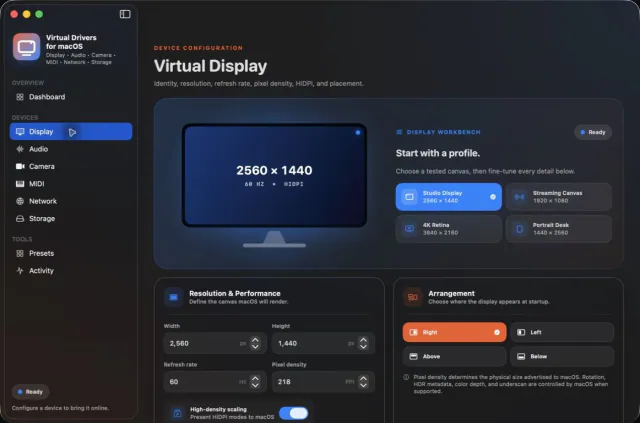
Virtual Drivers for macOSDrivers · Display
Seven virtual-device tools. One Mac app.
$14.99Early accessmacOS
Python scripts for the Divoom Pixoo 64 LED display.
Skip to get Pixoo 64 ToolsI Built an App to Stream & Control the Divoom Pixoo 64 on PC! MikeTheTech on YouTube.
Pixoo 64 Tools is a free collection of Python scripts for the Divoom Pixoo 64, the 64x64-pixel LED display. The main script captures your screen and streams it to the Pixoo, with a live preview window so you can see exactly what the panel is showing.
You choose how the picture is shrunk to 64x64 (nearest, bilinear, bicubic, Lanczos, box or Hamming), can add a Pillow filter such as sharpen or edge enhance, crop to a square, overlay a pixel grid, switch between light and dark themes, or send a still image from disk instead of the screen. Two smaller scripts send a line of text or a single screenshot to the display.
The scripts talk to the Pixoo over your local network through the open-source pixoo library. Install Pillow, pixoo and screeninfo with pip, enter the IP address shown in the Divoom app, and run the script. Mike published the tools on GitHub in February 2025 and walked through them on the MikeTheTech YouTube channel.
Open the Divoom app, go to Device Settings and copy the IP address, then enter it in the script (the streaming window has a Pixoo IP field).
Python and three libraries: run pip install pillow pixoo screeninfo.
Seven virtual-device tools. One Mac app.


Keep any screen, window or region in view, always on top.
 Updated Oct 5
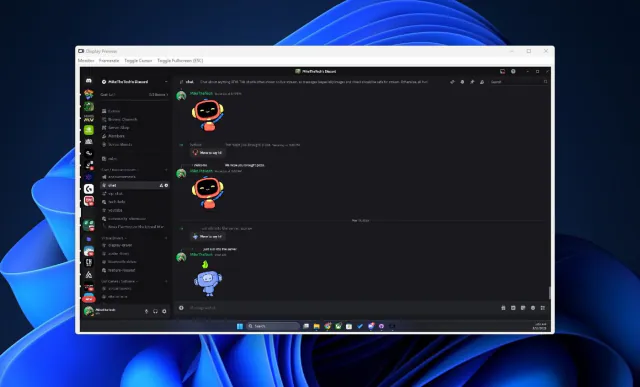
View your virtual displays in application windows.