Updated Oct 19
InfinitePIPProductivity · Display
Keep any screen, window or region in view, always on top.
$4.99WindowsmacOSLinux

A cross-platform WYSIWYG Markdown editor built with Electron.
MDEdit's WYSIWYG view with the full formatting toolbar, the built-in welcome document and the status bar's word, character and line counts.
MDEdit was a cross-platform Markdown editor built with Electron. Writing happened in a rich-text (WYSIWYG) view, with a one-click or Ctrl+/ switch to raw Markdown, and an optional split view showed the rendered result next to the editor while typing.
Every Markdown feature sat in the toolbar: text styles, six heading levels, bullet, numbered and task lists, links, images, tables, code blocks in more than 30 languages, footnotes, a table of contents, emoji and LaTeX math. It also had find and replace, drag-and-drop for images and .md files, smart paste that cleaned up HTML, dark mode, and a status bar with word, character and line counts.
Files opened and saved through native dialogs, and documents could be exported to HTML or printed to PDF. MDEdit was released as open source under the GPL-3.0 in March 2026. It was distributed as source code, with build targets for AppImage and .deb on Linux, an installer or portable .exe on Windows, and a .dmg on macOS.
No prebuilt releases were published. MDEdit was distributed as source code; its build configuration targets AppImage and .deb packages, an NSIS installer or portable .exe, and a .dmg.
Keep any screen, window or region in view, always on top.

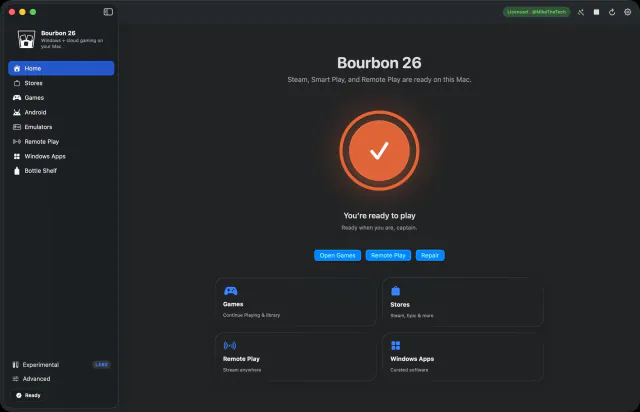

Play Windows games on Mac, plus Steam and Android apps, on Apple Silicon.
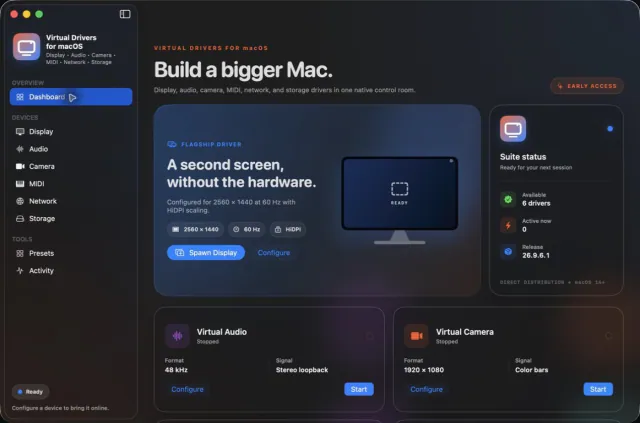

Seven virtual-device tools. One Mac app.