
Real capture · freespark.app The live app on a Mac with “Start the AI when the page opens” switched off, so it waits for Start. Auto chooses a model to suit each GPU.
FreeSpark is an AI assistant that lives in a browser tab. It picks an open language model your device can handle and runs it on your own GPU through WebGPU, so there is no account to create, no subscription and no daily message cap. Your chats, notes and settings stay in the browser's own storage.
Around the model, FreeSpark does the legwork in ordinary code: it routes each request, gathers the date, your notes, files and any web results before the model starts, then checks figures and links after it answers. PyroSoft calls this Model + Spark. FreeSpark can search the web and cite up to three pages, read PDFs, Word files, spreadsheets and images without uploading them, run Python with numpy, pandas and matplotlib, make pictures with Janus-Pro-1B, and talk with on-device Whisper and Kokoro voices.
You need a browser with WebGPU, such as a current Chrome, Edge or Safari. The first start downloads a model that can be a few gigabytes; after that it loads from the browser's cache. Web lookups are on by default and can be switched off, after which nothing about your requests leaves the device.
Live4 entries so far·Updated New (4 entries updated in the last 14 days)
Yes. There's no account, subscription or daily message cap, because the model runs on your hardware rather than a paid server. FreeSpark shows no ads; the only thing in it that asks for money is an optional link to buy the creator a coffee.
The first time, FreeSpark downloads the model, which can be several gigabytes. After that it is cached and starts in seconds. If you'd rather press Start yourself, switch off "Start the AI when the page opens" in Settings.
If the browser supports WebGPU, FreeSpark offers the models that fit. Phones get smaller ones: on a phone or tablet the browser tends to close a WebGPU tab past roughly 1.5 GB, so FreeSpark keeps the model well under that, and if the browser ever closes the page it switches on Low-memory mode by itself.
Turn off "Look things up on the web" and your requests stay on the device. FreeSpark still downloads models and runtimes the first time it needs them, and the page itself loads from freespark.app.
Only inside a folder you choose to open. By default every change is shown first with Apply and Reject, and earlier versions are kept.
Open models built for the browser, from 30 families in the picker, including Llama, Qwen, Gemma, Phi, Mistral, DeepSeek R1 Distill and SmolLM2. Auto picks one that fits your device, and MLC builds from Hugging Face can be added in advanced settings.
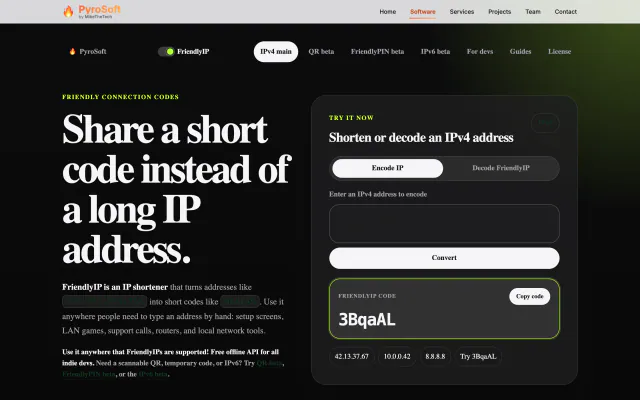

Turn IPv4 addresses into six-character codes you can read aloud.