
Play Windows games on Mac, plus Steam and Android apps, on Apple Silicon.
Skip to get Bourbon 26The Easiest Way to Play Windows Games on Mac | Bourbon 26 MikeTheTech on YouTube, Oct 19, 2026.
Bourbon 26 is a native Mac app for playing Windows games on Apple Silicon. One Set Up Everything button installs and configures Wine Staging, DXVK, MoltenVK and Steam, and Apple's Game Porting Toolkit 3 is one more click away. There's no Terminal and no Windows licence to buy. You sign in to your own Steam account and download your own library.
Smart Play keeps a verified profile for each title and matches it to a ready-made runtime on the Bottle Shelf (DXVK, WineD3D, VKD3D, DXMT, GPTK or native macOS), and you can always pick a different one. Games that ship a real Mac version run natively instead. Beyond Steam, Bourbon reaches Epic, GOG, Amazon and Ubisoft through Heroic and runs any .exe or .msi you download. Recent builds also put Windows games into the native Mac Steam library, add a Smart Play Analyzer that checks a game's files to work out which technology it needs, and add a controller-friendly Couch Mode.
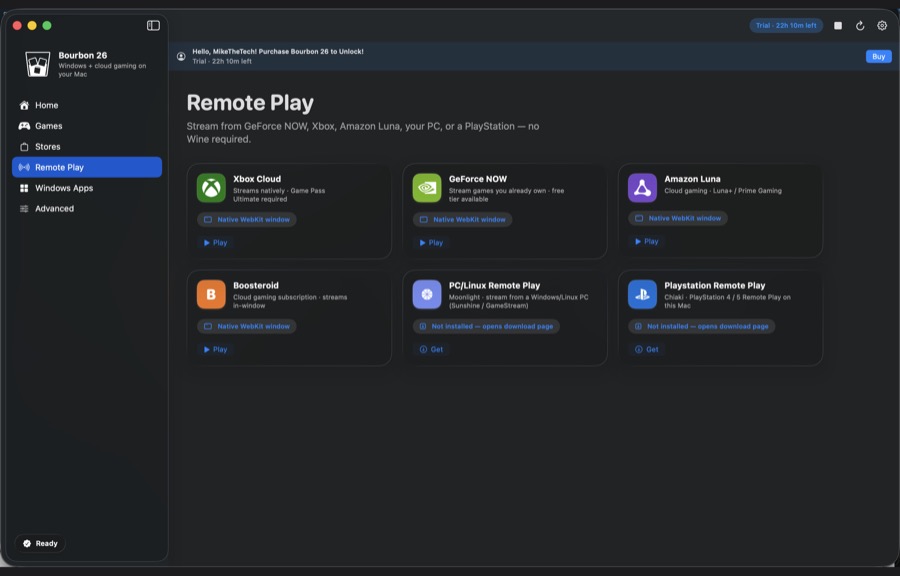
The same app runs Android with the Google Play Store on seven device types (still marked experimental), installs console emulators that show your own ROMs with their proper titles and box art, and opens cloud and remote play: Xbox Cloud, GeForce NOW, Amazon Luna, Boosteroid, Moonlight and PlayStation Remote Play.
Bourbon 26 is $29.99 once, with a 24-hour trial. Not every game runs; titles with kernel-level anti-cheat generally won't, so check the compatibility list first. It needs an Apple Silicon Mac (M1 or newer) and macOS 14 Sonoma or later.
Live10 entries so far·Updated New (10 entries updated in the last 14 days)
No. Bourbon is not a virtual machine and does not require a Windows licence. It runs Windows games through compatibility and graphics translation layers directly on macOS.
Yes. You sign into your own Steam account and download your own library. Bourbon never touches your ownership.
Many modern 64-bit single-player and Steamworks games run well. Anything with kernel-level anti-cheat generally will not. Look up a specific title on the compatibility page before you buy.
No. You buy Bourbon 26 once and nothing expires. It stays fully supported and keeps getting maintenance updates — fixes for macOS and Steam changes, and compatibility work. New features land in the next major version, which is a separate optional purchase. You are never forced to upgrade to keep what you already paid for.
An Apple Silicon Mac (M1 or newer) running macOS 14 Sonoma or later, an administrator account for first-time setup, and enough disk space for Steam and your games.
Yes. Download the trial build and sign in with itch.io for a 24-hour unlock, so you can test your own games and settings before you buy.
Steam is the main library. Epic, GOG, Amazon and Ubisoft go through Heroic on the Stores page. You can also run any Windows .exe or .msi.
Yes. Every build is Developer ID signed and notarized by Apple, and updates itself in the app. Verified game fixes also arrive over the wire, so a fix reaches you the day it is confirmed.
Yes. Recent builds put Windows games into the native Mac Steam library, where you can pick Bourbon's automatic Smart Play compatibility tool or a specific bottle.
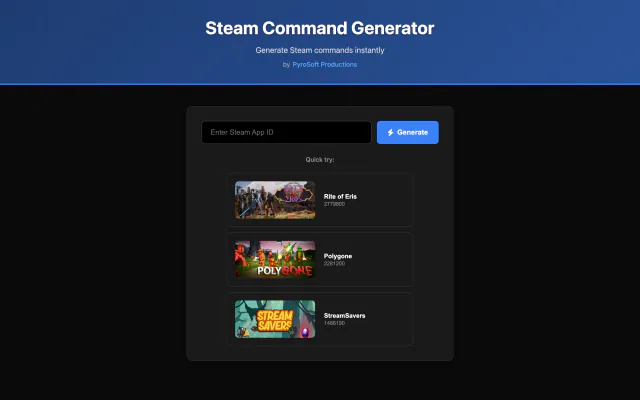
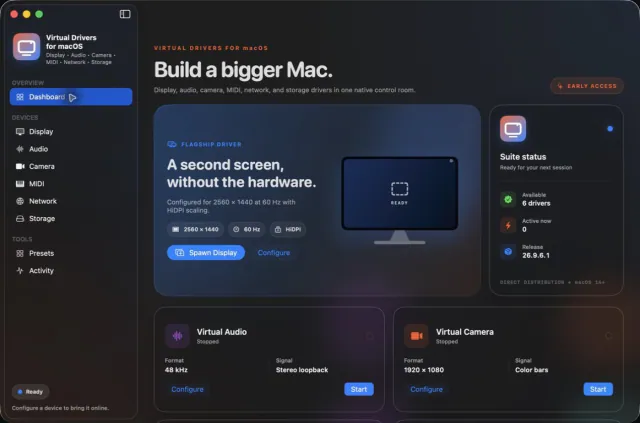

Seven virtual-device tools. One Mac app.


Keep any screen, window or region in view, always on top.