
 Updated Oct 19
InfinitePIPProductivity · Display
Keep any screen, window or region in view, always on top.
$4.99WindowsmacOSLinux

See how much of each AI plan you have left, from your Mac's menu bar.
Skip to release statusReal capture · Fuse 26.9.8.18 The floating notch, expanded from the top of the display: what's left on five signed-in accounts, and when each limit resets.
Know how much fuse you have left.
Fuse shows how much of each AI plan you have left, in one compact view: remaining-capacity meters, reset countdowns, plan names, credits and spending caps for Cursor, Claude, ChatGPT/Codex and Gemini, plus experimental integrations for GitHub Copilot, Perplexity, Grok and Windsurf.
On a Mac it lives in the menu bar, in a floating notch you can dock to any edge of the display, or in its own dashboard window. Bars drain as you use your allowance, a 24-hour history is drawn from real readings, and a service that goes quiet keeps its last good reading, clearly marked. Add the same service twice and work and personal accounts get separate rows and sign-ins.
You sign in on each service's own page; Fuse keeps only the resulting session, in the macOS Keychain, and never sees your password. It is an independent app that reads what each signed-in dashboard already shows. Fuse isn't publicly released yet: the Mac build needs macOS 14 or later on Apple Silicon, and an earlier Windows build runs from the system tray.
No. You sign in on each service's own page in an embedded browser, and Fuse keeps only the resulting session: in the Keychain on a Mac, encrypted for your user account on Windows.
No. Fuse is an independent app from PyroSoft. It reads the same data the services' signed-in dashboards load; those endpoints are unofficial and can change.
No. Fuse reports what each service's own dashboard reports.
ChatGPT's core chat message caps have no self-serve usage source, so Fuse tracks the Codex windows the service does expose.
Not currently. The Mac build is Apple Silicon only and needs macOS 14 or later.
Not yet. The Windows build (26.8.26.1) isn't Authenticode-signed, so SmartScreen may ask before the first launch. It needs no administrator rights.
Keep any screen, window or region in view, always on top.
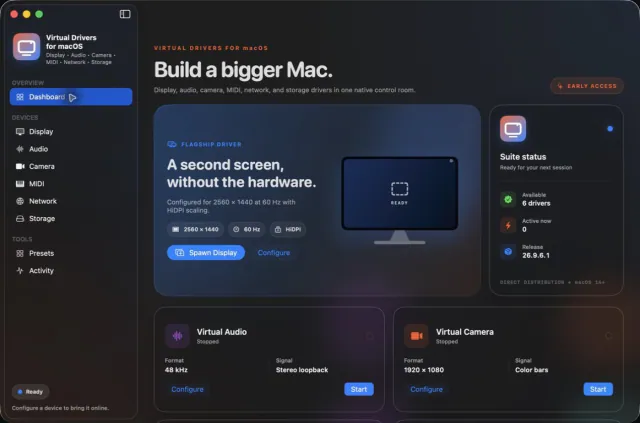

Seven virtual-device tools. One Mac app.
 Updated Oct 5
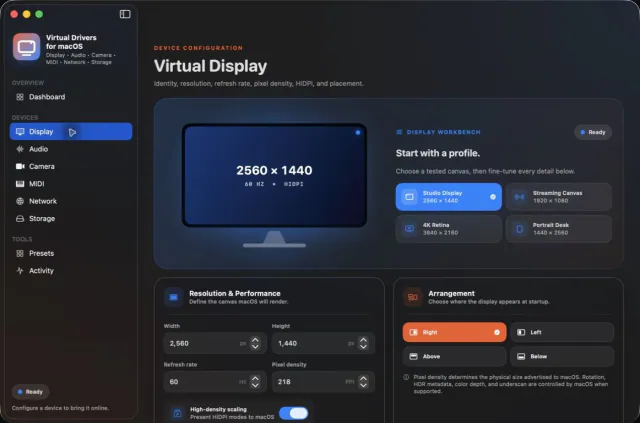
View your virtual displays in application windows.