
The YouTube player loads when you press Play.
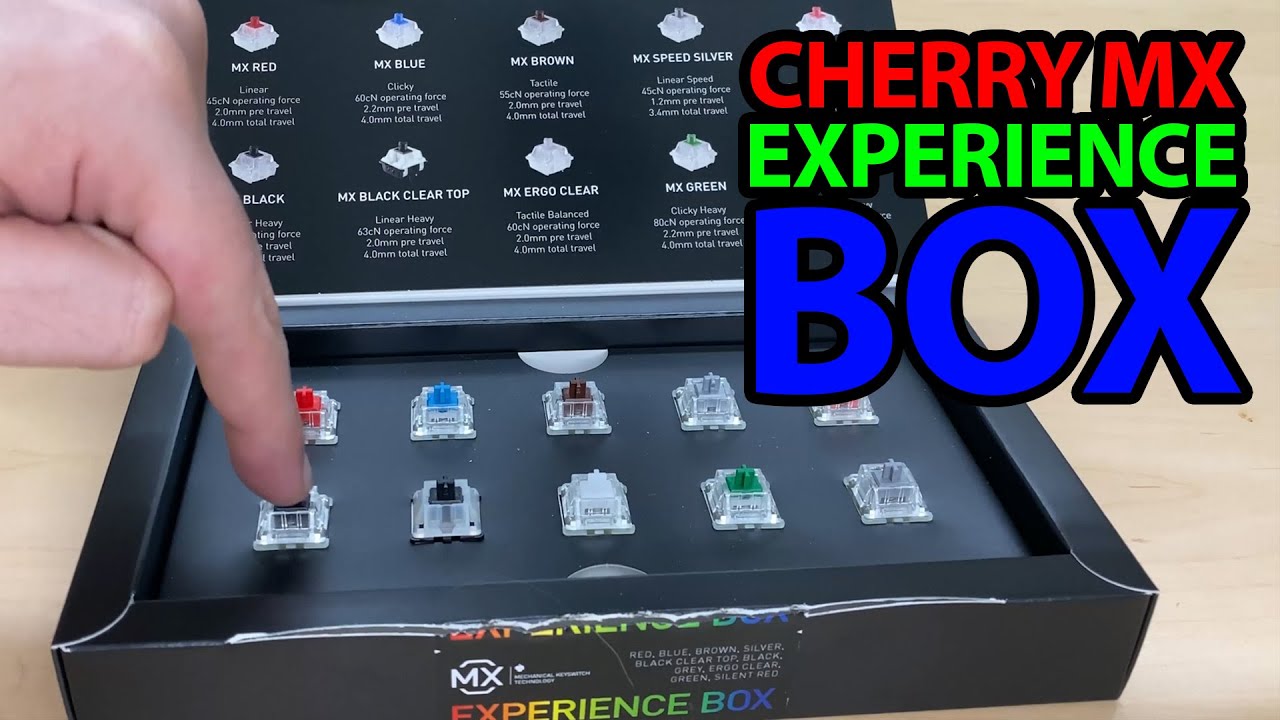
Cherry MX Experience Box: Put the Switches Beside a Microphone
Opening the switch sampler and recording a short sound comparison.
Article published November 4, 2026.
A keyboard switch is easier to understand when I can press it. That is the appeal of the Cherry MX Experience Box: a small selection to try before committing to a whole keyboard’s worth.
Open the sampler
I work through the labeled options in the box, including Red, Blue, Brown, Speed Silver, Silent Red and the other variants shown in the recording. Then I bring the microphone down close.
The next part is mostly the switches themselves. I press through them one at a time so the video can give you a short sound sample, rather than just my description of what each is supposed to feel like.
Listen to this as a sampler
I am not measuring force, latency or durability. A switch pressed in this little setup is also different from hearing it installed in a finished keyboard, with a case and keycaps around it.
I say I want to move on to a key tester and actual keyboards afterward. That longer comparison is still a plan at the end of this recording.
The board changes the context
For a separate finished-keyboard session, my AULA F75 first look includes a short sound test and a Bluetooth connection. It is not a demonstration of these Cherry samples installed in that board.
The original description does not supply a product URL or coupon code. The embedded video is the place to follow the sequence of switch sounds.


