
The YouTube player loads when you press Play.
AULA F75: Colorful Keys, a Dial and an Actual Bluetooth Connection
Opening the compact keyboard, changing its lighting and pairing it with my computer.
Article published November 4, 2026.
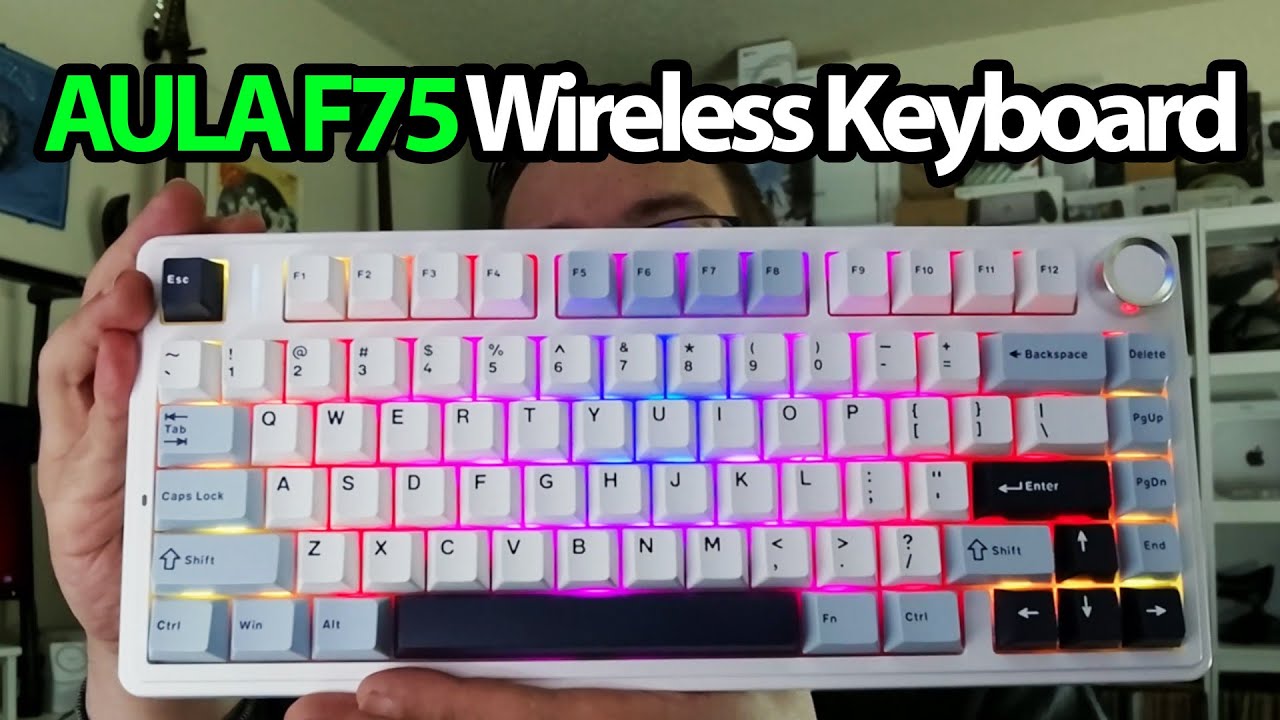
The F75 has a lot going on in a small footprint: purple, blue and white keys, a dial in the corner and lighting that comes on before I have plugged it into anything.
I open the box, look through the quick guide and take a moment with the keyboard’s weight and finish. There are four spare switches, a puller and a USB cable alongside it.
The feel and sound come first
I do a short key-sound test and try the dial’s click and rotation. Underneath, I look at the different foot positions and their rubber padding. At the back, the receiver has its own storage space beside the mode switch and USB-C connection.
Lighting without a cable
Switching to Bluetooth mode turns the lighting on while the keyboard is still unplugged. I use the function and arrow-key combinations to change the effect speed and brightness.
Then I hold the Bluetooth pairing shortcut, open the computer’s device list and connect. Pressing the Windows key confirms that the connection is working. That is an actual pairing demonstration, rather than just a list of supported modes.
I do not measure wireless latency, battery life or gaming performance, and I do not swap a switch in this recording.
Keep the two offers separate
For a different layout, I later opened the AULA F99. This session stays with the smaller F75. Its original description lists a 30% keyboard offer using 7BNE4EG8 and a separate Geeksoutfit clothing offer using MTT25. Both are historical offers, with the original links below.
The original outro credit lists http://eme7.com/.
Links from the video
Affiliate disclosure: These links may earn me a commission at no extra cost to you.
Coupon code: 7BNE4EG8 — 30% off. Original AULA F75 offer; availability and terms may have changed.
Coupon code: MTT25 — 25% off. Original Geeksoutfit clothing offer; availability and terms may have changed. Not a discount on the featured device.
Links and offers are from the video description. Availability, prices and offer terms may change.
Some links to other products on this page are affiliate links, and we may earn a commission if you buy through them. It costs you nothing extra, and it has not changed what this article says — where a competitor is the better answer, we say so.


