
The YouTube player loads when you press Play.
NearHub Photo Frame: Pictures on the Screen, Room Readings Beside Them
Setting up the app and trying the environmental-display and photo controls.
Article published November 4, 2026.
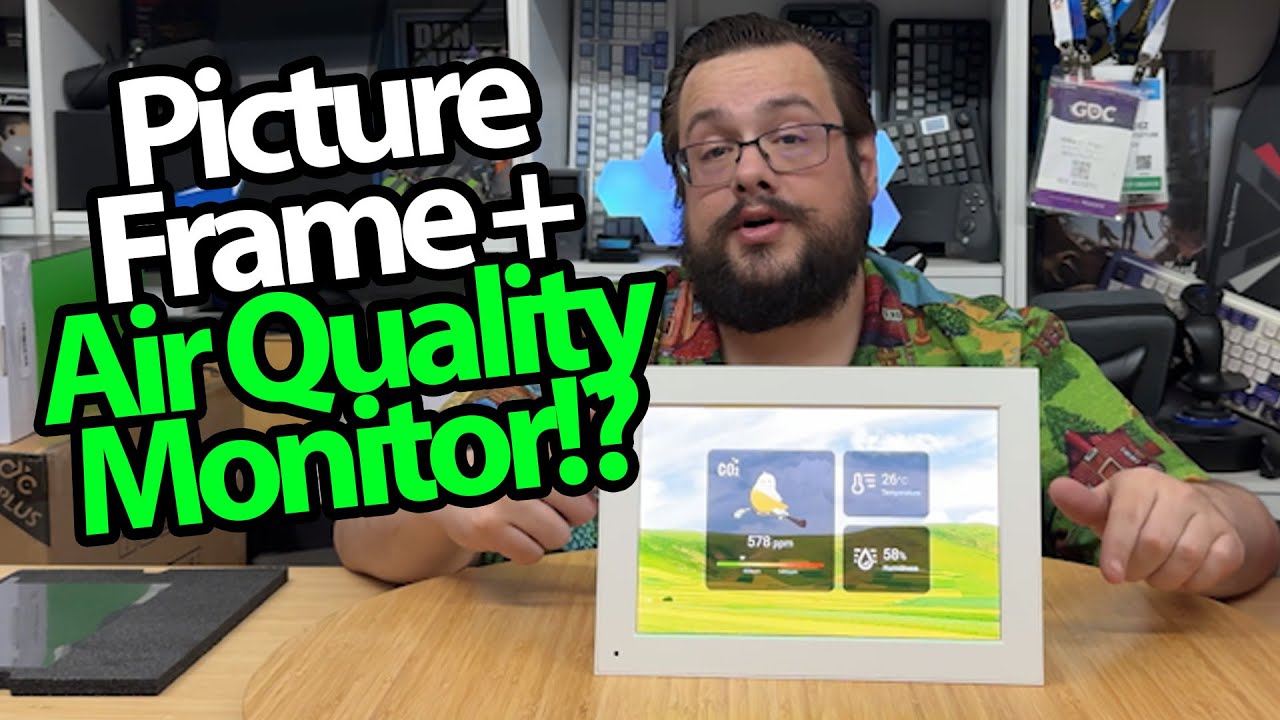
The thickness is the first clue that this NearHub frame is doing more than showing photos. After setting it up, I can see room readings beside the picture controls.
The title calls it Frames 10 while the startup and spoken walkthrough use NearHub Go. I am following the device demonstrated in the recording rather than assuming every similarly named model is identical.
Connect the app and get to the frame
I unpack the frame, guides and power accessories, then connect the app and complete setup. Once it is running, I can see temperature, humidity and a displayed CO₂ reading.
Those are numbers reported by the device. I do not compare the sensors with calibrated instruments or establish that they can determine whether a room is safe or explain a health symptom.
Pictures and room information share the screen
I browse the photo and short-video options, swipe through views and look at slideshow timing. There is also a control for hiding the environmental panel and using the display as a photo frame.
I discuss the CO₂-warning option in the menus, but do not create a controlled high-CO₂ condition to test an alarm.
A useful interface to explore
My Temtop M10+ walkthrough looks at another room-monitor display in a different format. Neither unboxing is a laboratory comparison of sensor accuracy.
Here, the part I actually get working is the frame's setup and its combination of pictures and reported room information. The native screen resolution, calibration and health claims in the broader description are not independently verified in this session.
Geeksoutfit supplied the shirt featured in the video; its separate store offer is listed below.
Links from the video
Affiliate disclosure: These links may earn me a commission at no extra cost to you.
- NearHub photo-frame original product/referral link
- MikeTheTech original Patreon link
- Geeksoutfit original clothing-store link
Coupon code: COLLAB1 — Discount amount not stated. Separate Geeksoutfit offer from the original description, not a discount on the reviewed gadget. No amount or expiry was supplied; check current terms.
Links and offers are from the video description. Availability, prices and offer terms may change.
Some links to other products on this page are affiliate links, and we may earn a commission if you buy through them. It costs you nothing extra, and it has not changed what this article says — where a competitor is the better answer, we say so.


