
The YouTube player loads when you press Play.
Kefeya Screen Extender: A Magnetic Battery and a Setup on an Older Laptop
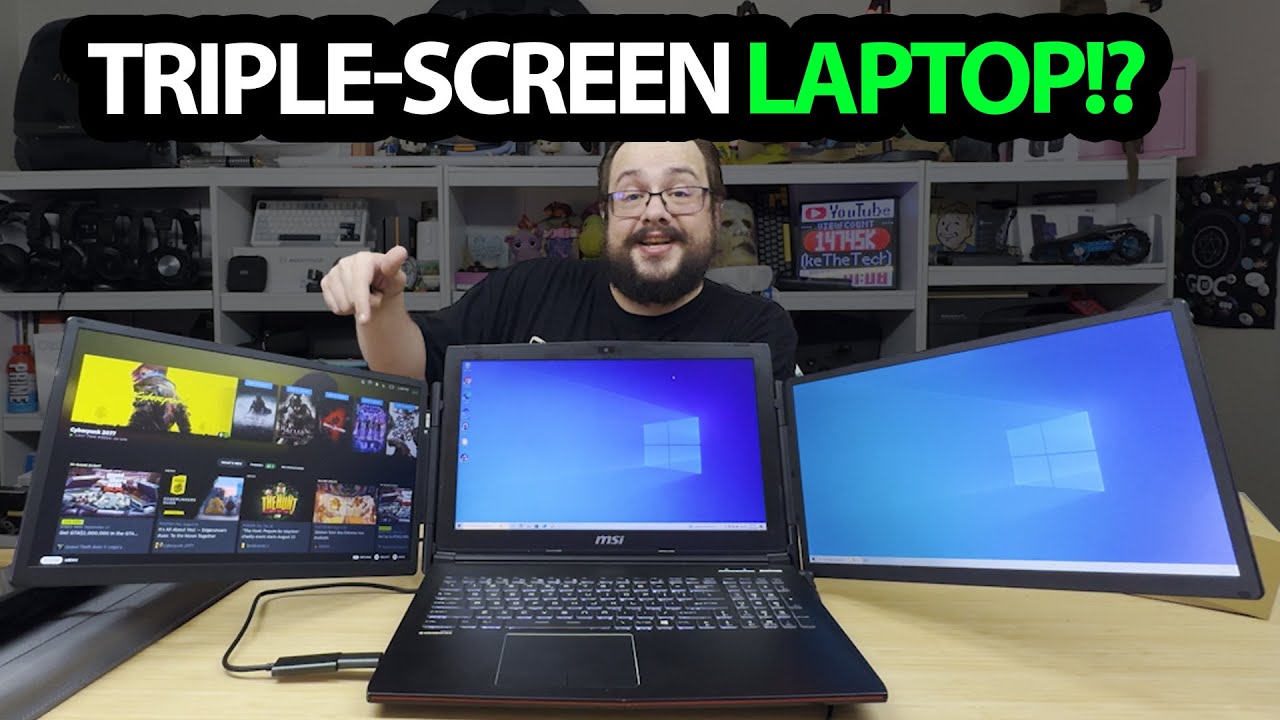
Opening the two-screen assembly and trying its supplied display software.
Article published November 4, 2026.
The battery is a separate piece in this Kefeya package. I can put it against the back of the screen assembly, where it attaches magnetically, instead of leaving another power pack loose on the desk.
The description calls the linked product P5, while I call the device S5 in the recording. I am keeping that naming mismatch clear and following the hardware I actually unpack.
The case has room for the cable collection
I take out the carrying case, the battery with its small percentage display and the supplied leads. There is a particular display-adapter cable and software arrangement that I discuss for computers without the needed USB-C video output.
That is a feature of the supplied setup, not a reason to assume every USB port or operating system can run it without checking requirements.
Open the stand and attach the battery
I unfold the two-screen assembly, extend its support and look at the hinge. Attaching the battery powers the screens so they are ready for a source.
My Domyfan N2 walkthrough explores a different detachable display-and-stand arrangement. These are separate hardware sessions, not a matched panel-quality comparison.
The older laptop recognizes the display
I install the supplied display software and report that the older laptop picks it up. That is the compatibility result I demonstrate; the Steam Deck, phone and other multi-device layouts I discuss are ideas, not completed tests here.
I do not measure color coverage, battery runtime or verify every possible dual-display mode. The useful first result is seeing the battery and support arrangement, then getting a display recognized on that particular older laptop.
Links from the video
Affiliate disclosure: These links may earn me a commission at no extra cost to you.
- Kefeya original listing—confirm the model shown in the video
- MikeTheTech original Patreon link
- Geeksoutfit original clothing-store link
Coupon code: COLLAB1 — Discount amount not stated. Separate Geeksoutfit offer from the original description, not a discount on the reviewed gadget. No amount or expiry was supplied; check current terms.
Links and offers are from the video description. Availability, prices and offer terms may change.
Some links to other products on this page are affiliate links, and we may earn a commission if you buy through them. It costs you nothing extra, and it has not changed what this article says — where a competitor is the better answer, we say so.


