
The YouTube player loads when you press Play.
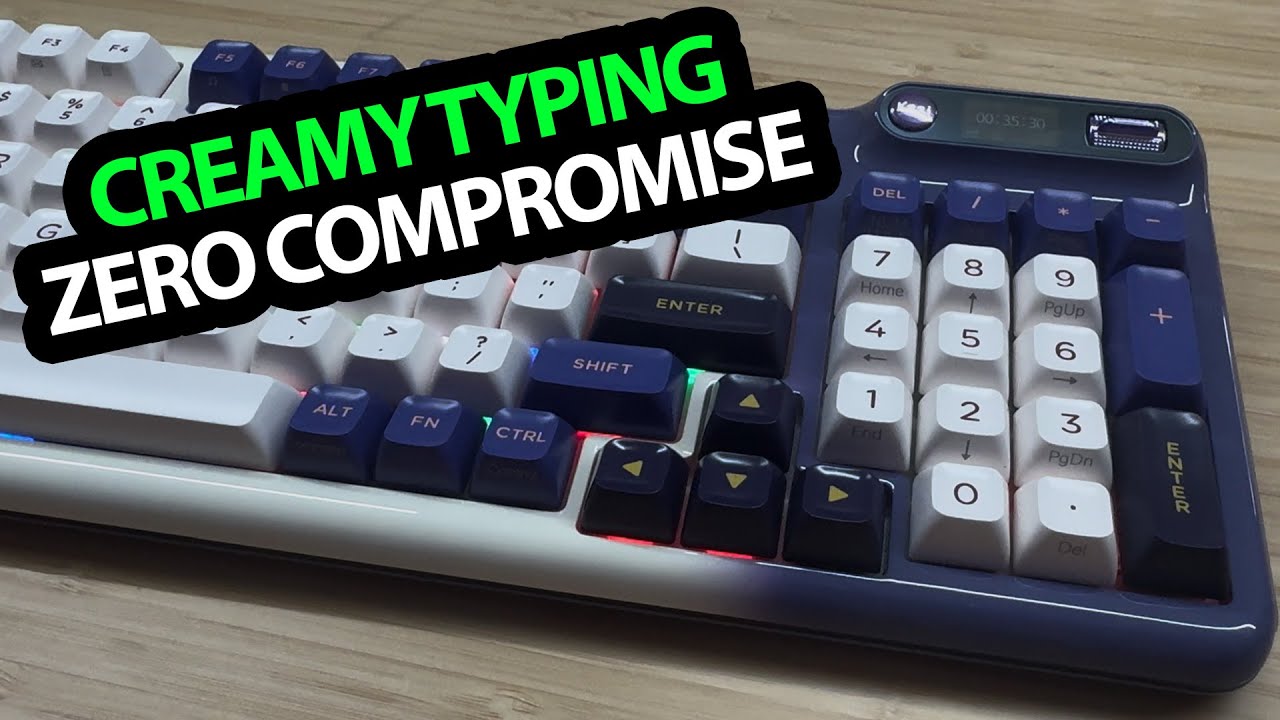
KZZI Keyboard: A Little Screen and Settings Right on the Board
Trying the keys, feet and display controls before any software customization.
Article published November 4, 2026.
The little screen on this KZZI keyboard gets my attention almost as quickly as the blue-and-white keys. I can change settings on the board itself, and that gives me something useful to explore before installing any customization software.
The video opens with the Z98 name and ends with a Blackberry model name. Those labels are not consistent enough to combine every specification into one confirmed model, so this walkthrough stays with the keyboard and accessories I actually have in front of me.
The keys and what comes in the box
I try the keys and like the smooth feel and rounded design. My typing reaction is personal; I am not measuring sound or comparing switches under controlled conditions.
The accessories include a keycap and switch puller, spare switches, alternate arrow keys and a dark purple cable with a wrap. I look at the receiver and the connections on the case, then flip out the smaller and larger feet to change the typing angle.
A screen with controls I can reach
I turn on the display and notice the date is a day off. The small control moves up and down and has a separate selection action. I use it to explore volume, mute and backlight options, including changing the lighting colors.
Custom images, GIFs and other software features come up in the discussion, but I do not configure those in this session. Seeing the ports and receiver also does not establish wireless latency, USB-hub performance or battery endurance.
Different ways to use the space above the keys
The screen makes this an interesting desk accessory as well as a keyboard. My SABLUTE KL3 Pro walkthrough takes a different approach with space for a phone. These are separate first looks, not a matched typing comparison.
The original description does not include a product-purchase link for this keyboard. Its Patreon and Geeksoutfit links are preserved below, along with the separate clothing-store code.
Links from the video
Affiliate disclosure: These links may earn me a commission at no extra cost to you.
Coupon code: COLLAB1 — Discount amount not stated. Separate Geeksoutfit offer from the original description, not a discount on the reviewed device. No amount or expiry was supplied; check current terms.
Links and offers are from the video description. Availability, prices and offer terms may change.
Some links to other products on this page are affiliate links, and we may earn a commission if you buy through them. It costs you nothing extra, and it has not changed what this article says — where a competitor is the better answer, we say so.


