
The YouTube player loads when you press Play.
KEFEYA P5: A Laptop Screen That Can Come Off Its Frame
Opening the display, checking the port guide and trying the detachable mounting arrangement.
Article published November 4, 2026.
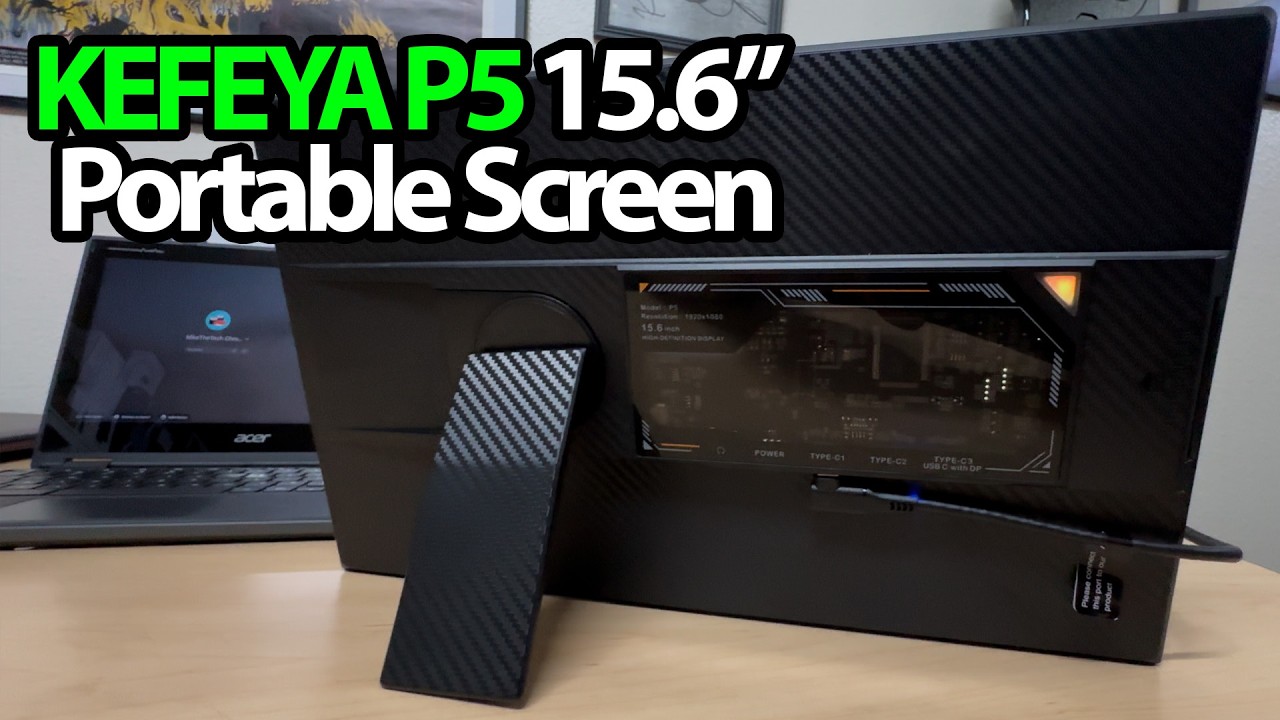
I thought the little window on the back was a sticker. It is actually a view into the circuit board. That is a very good way to get my attention while I am opening a monitor.
The KEFEYA P5 has another detail I like even more: the screen can come off the laptop frame and stand on its own.
Read the port guide before plugging things in
I stop at the quick tips because the three USB-C connections have different jobs. The guide distinguishes power, the supplied HDMI connection and USB-C video with power. Matching the connector shape alone is not enough.
I also look over the supplied cables and their direction labels. Which cable and port combination works depends on the source device and the guide; I am not establishing universal laptop or console compatibility in this unboxing.
The kickstand slides into place
At first, I wonder whether the stand attaches magnetically. Trying it answers that: it slides into a slot. I rotate it and try the standing positions, then extend the laptop frame to look at how its adjustment works.
The display pulls upward out of that frame. I can then put it back, or use the screen separately with the stand. I also point out the lower connections, audio port and small control stick.
It is the flexibility that interests me
KEFEYA sent the P5 for this video. The session demonstrates the physical arrangement, not a powered image-quality or multi-screen performance test. For another approach from the same brand, my KEFEYA S5 Pro first look covers a different design; its results should not be treated as a P5 test.
A detachable screen gives me more ways to think about a desk setup. I want to try those connections properly next.
Links from the video
Affiliate disclosure: These links may earn me a commission at no extra cost to you.
Links and offers are from the video description. Availability, prices and offer terms may change.
Some links to other products on this page are affiliate links, and we may earn a commission if you buy through them. It costs you nothing extra, and it has not changed what this article says — where a competitor is the better answer, we say so.


