The YouTube player loads when you press Play.
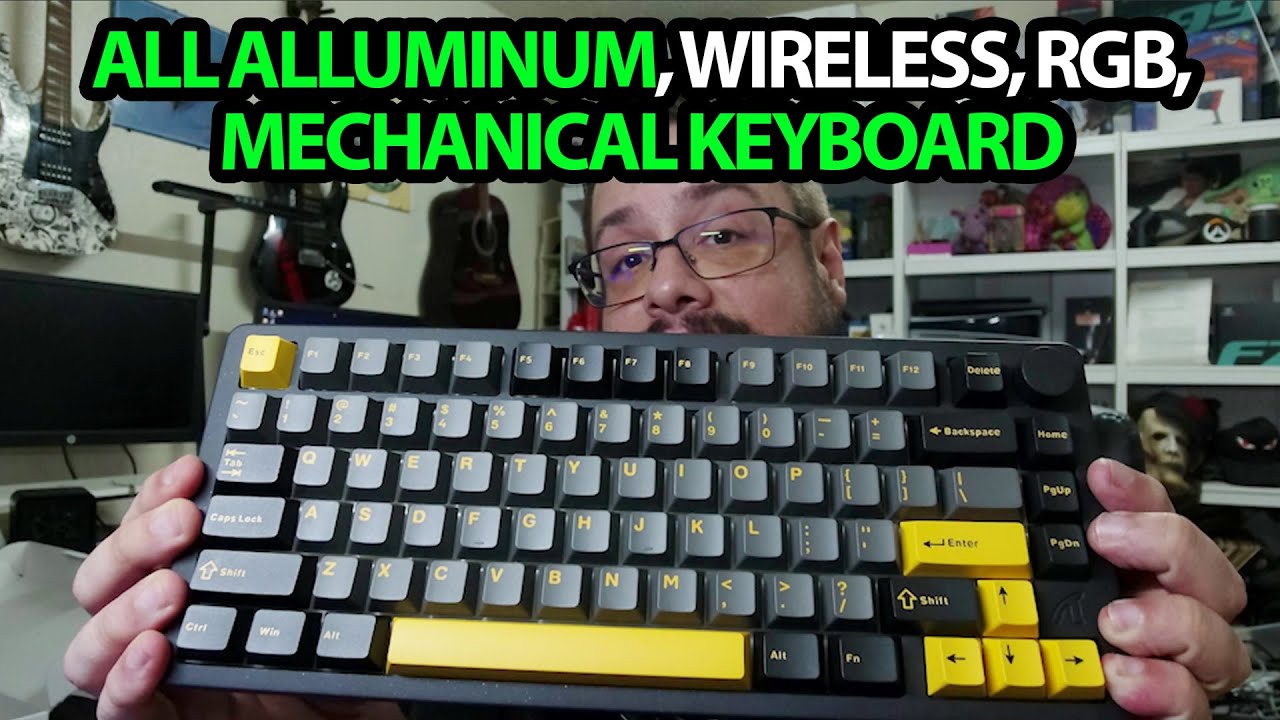
ATTACK SHARK X86: A Heavy Keyboard with a Mirror-Finish Back
Opening the accessories and looking over the aluminum-style enclosure.
Article published November 4, 2026.
The weight is the first thing I notice when I pick up the ATTACK SHARK X86. Then I turn it over, peel the film and find a mirror finish reflecting the recording setup back at me.
Open the accessory box
I find the quick-start information, larger guide, spare switches, puller tool and USB cable. After that, I bring the keyboard toward the microphone for a short key-sound sample.
The material and construction specifications are part of the product's description. I do not test the alloy or open the case to verify every internal layer.
Look around the back
There is a USB-C connection, a mode selector and a storage slot for the wireless receiver. I also try the knob, which rotates and has a press action.
The finish has a sparkle under the light that I like, alongside the much more reflective rear surface.
A different look from the M86
My separate ATTACK SHARK M86 first look spends more time on side-printed keys and a coiled cable. This X86 session is especially about the weight, enclosure and rear finish.
I finish with that physical first impression, without a full pairing, battery, anti-ghosting or gaming-performance test. The video includes the sound sample if you want to hear the keys from this recording.