
The YouTube player loads when you press Play.
COLO GCS: Putting a Surround-Speaker Rig on My Gaming Chair
A large unboxing, chair mounting and an initial Bluetooth listening reaction.
Article published November 4, 2026.
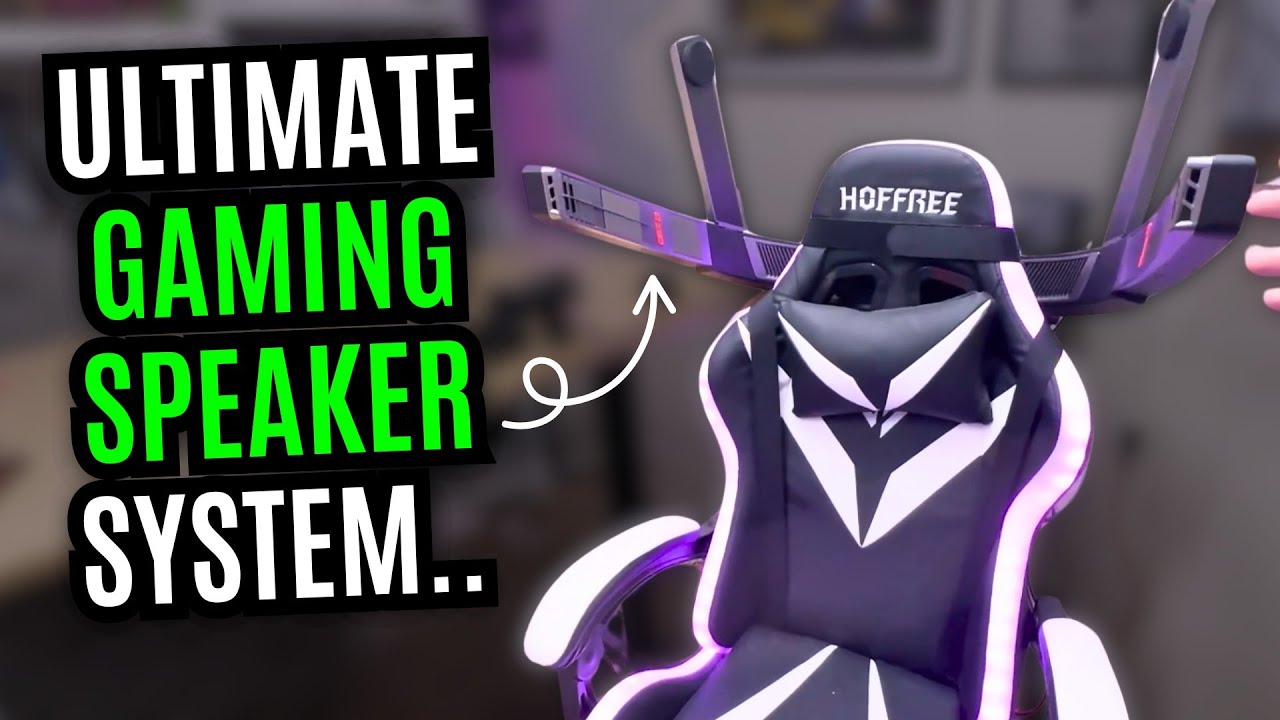
I have to make more room before I can even finish opening the COLO GCS. This is a large speaker rig that mounts around a gaming chair, with a rear section and two adjustable speakers above the seated position.
Several boxes inside the big one
I unpack the main assembly, mounting pieces, overhead speakers and accessories. There are power parts, two HDMI leads, an angled HDMI adapter and cable wraps to help organize the setup.
I also find separate Cololight lighting pieces in the package. The first job, though, is getting the speaker assembly onto the chair.
Mounting changes the chair
I fit the upper mounting section, run the straps through and tighten them before lowering the main speaker unit into position. The shape at the top of this chair matters to how the mount sits.
After securing the main section, I connect the two upper speakers and adjust their rotation and height. It is quite a change to the chair's outline, and I can still reach the controls beside me.
A first listen over Bluetooth
At the end, I connect over Bluetooth and give an enthusiastic first reaction to the depth and sense of sound around me. That short listen is the audio demonstration in this session.
The 7.1.2 label describes the system being presented. I do not verify discrete channel mapping over HDMI, measure latency or run a game test here. My comment about trying it in games is the next thing I want to do, not an FPS or positional-audio result already established.
The original COLO GCS link is below. Check the current mounting and connection requirements for the chair and devices you would use.
Links from the video
Affiliate disclosure: These links may earn me a commission at no extra cost to you.
- COLO GCS original official product link
- MikeTheTech original Patreon link
- Geeksoutfit original clothing-store link
Coupon code: COLLAB1 — Discount amount not stated. Separate Geeksoutfit offer from the original description, not a discount on the reviewed device. No amount or expiry was supplied; check current terms.
Links and offers are from the video description. Availability, prices and offer terms may change.
Some links to other products on this page are affiliate links, and we may earn a commission if you buy through them. It costs you nothing extra, and it has not changed what this article says — where a competitor is the better answer, we say so.


