
The YouTube player loads when you press Play.
HOTPEAK PR06: The First Image Is Android on the Projector Itself
Unboxing the compact projector, turning it on and aiming it at the wall.
Article published November 4, 2026.
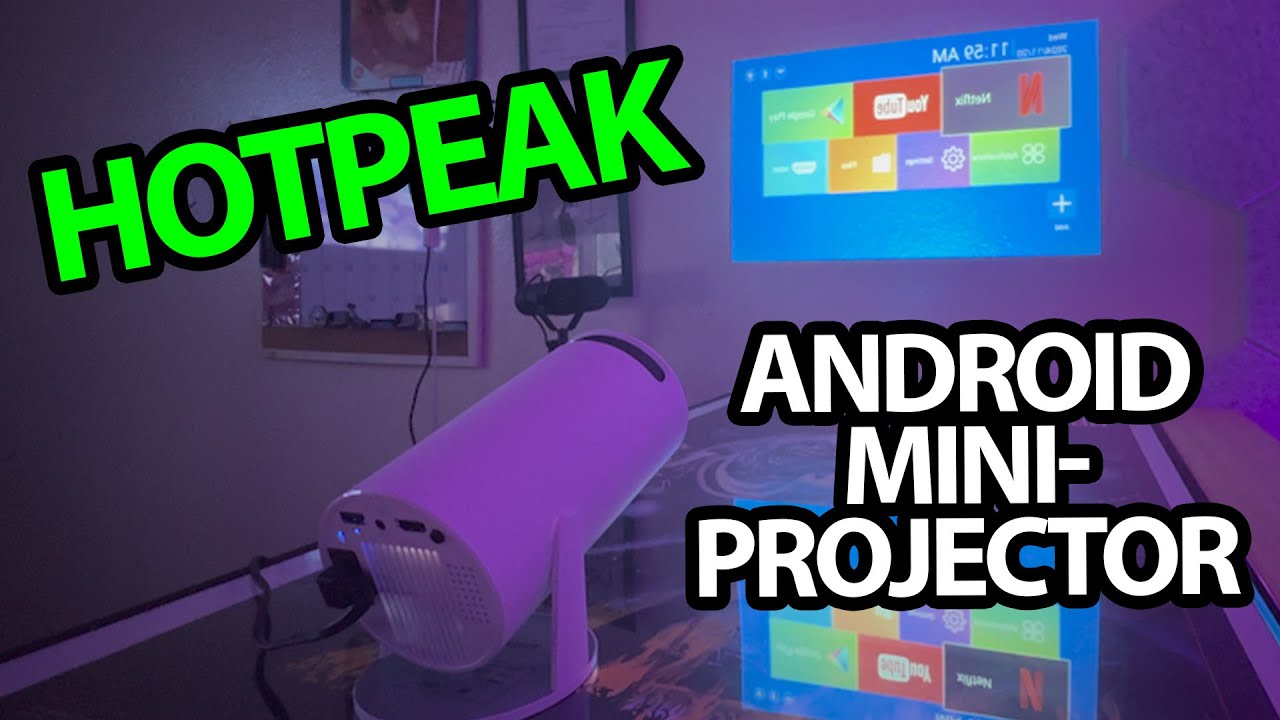
I turn the HOTPEAK PR06 on and get an image before connecting an outside video source. What is on the wall is Android running on the projector itself, which is the part that makes this little unit interesting to explore.
The package and connections
I take out the power lead, remote and guide, then remove the protective lens cover. Around the back are the power, USB, audio and HDMI connections.
The manual discusses wireless and remote-control options. I look over those before moving to the first power-up.
Turn the room lights off
I aim the projector at the wall and turn the room lights off to make the image easier to show. I am impressed by how quickly the interface appears and by the brightness in this setup.
That is an observation in this room, without a calibrated brightness reading or a measurement of native resolution. The old description's support for high-resolution content does not establish a native 4K picture.
Apps on the device are a separate convenience
I discuss the built-in Android interface and report trying phone audio over Bluetooth. The projector also has its own speaker.
I do not complete playback and compatibility tests for every named streaming app or game here. The first result is the package, the image on the wall and the standalone interface I can explore. The original product link is below.
Links from the video
Affiliate disclosure: These links may earn me a commission at no extra cost to you.
- HOTPEAK PR06 original Amazon link
- MikeTheTech original Patreon link
- Geeksoutfit original clothing-store link
Coupon code: COLLAB1 — Discount amount not stated. Separate Geeksoutfit offer from the original description, not a discount on the reviewed product. No amount or expiry was supplied; check current terms.
Links and offers are from the video description. Availability, prices and offer terms may change.
Some links to other products on this page are affiliate links, and we may earn a commission if you buy through them. It costs you nothing extra, and it has not changed what this article says — where a competitor is the better answer, we say so.


