The YouTube player loads when you press Play.
Lumary Curtain Lights: Drawing My Own Little LED Animations
Trying preset scenes, speed controls and the app’s frame-by-frame editor.
Article published November 4, 2026.
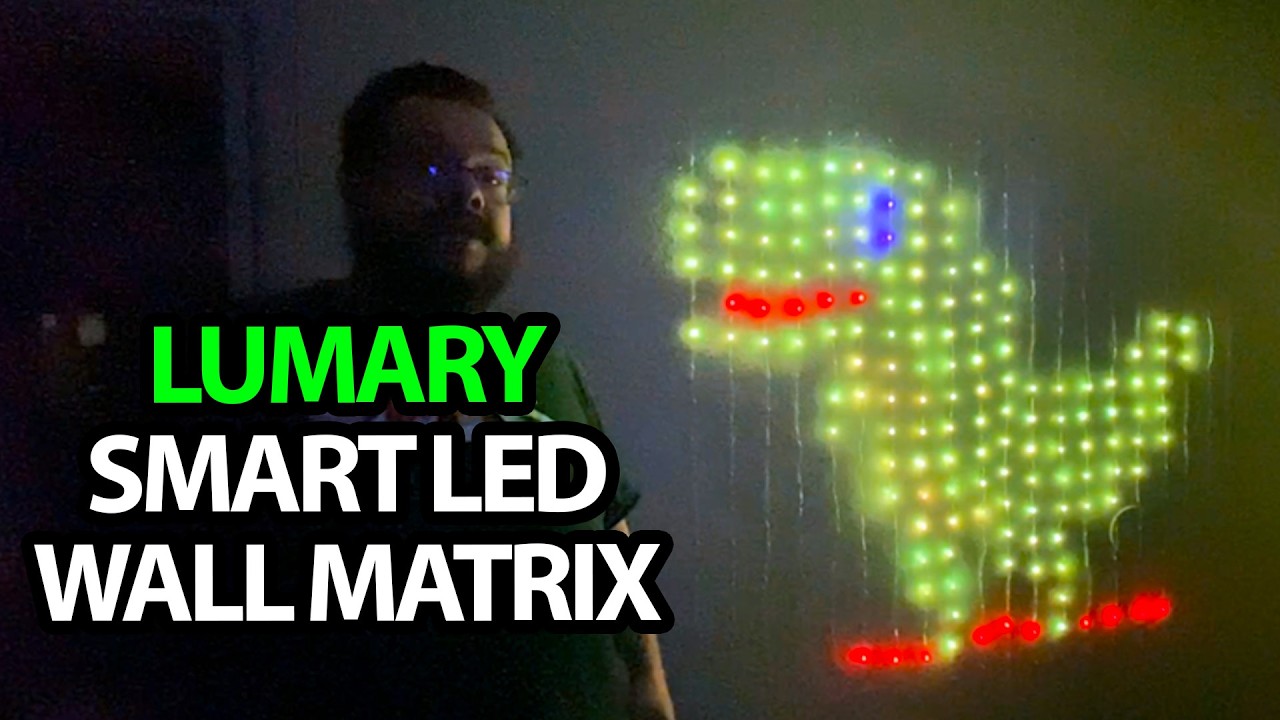
I start thinking about computer control before I have even finished opening these Lumary curtain lights. But the app already gives me plenty to play with: pictures, moving scenes and an editor for drawing my own frames.
Move them somewhere the camera can see
I had the lights outside for Christmas and New Year's, but the apartment porch made getting a close recording awkward. For this demonstration, I hang them in the office so the display is easier to follow.
The unboxing covers the remote, controller and string accessories. I also correct myself while working out what one of the pieces is for. The result is a look at the supplied setup, not a measured outdoor-weather or power test.
Start with the built-in scenes
I turn down the room lighting and try Halloween designs, including a spider and a moving ghost. Changing the speed makes it easier to see how the animation behaves.
There are holiday scenes and more abstract effects too. I like the falling shapes and patterns because they can work outside a particular season.
Draw, add a frame, draw again
The DIY area is the part I spend most time exploring. I choose colors, draw simple shapes and add another frame to move them. It gives me a straightforward way to build a small animation one picture at a time.
I finish still wanting to connect the lights to a computer for other experiments. That integration is a future idea here; the working demonstration is the app's presets and editor. The original Amazon link is below.
Links from the video
Affiliate disclosure: These links may earn me a commission at no extra cost to you.
Links and offers are from the video description. Availability, prices and offer terms may change.
Some links to other products on this page are affiliate links, and we may earn a commission if you buy through them. It costs you nothing extra, and it has not changed what this article says — where a competitor is the better answer, we say so.