
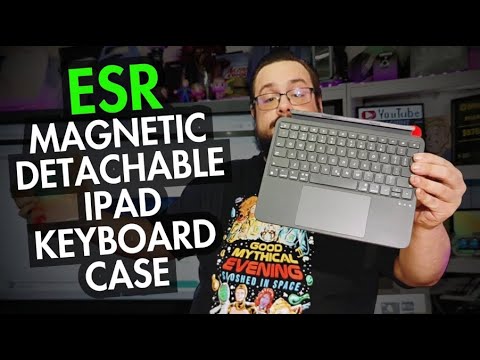
The YouTube player loads when you press Play.
ESR Flex Keyboard Case: Move the iPad, Keep the Keyboard
Trying the magnetic stand, pencil storage and a Bluetooth keyboard that works away from the case.
Article published November 3, 2026.
A keyboard case is useful until you want the screen somewhere other than directly behind the keys. That was the interesting part of this ESR Flex setup: I could detach the keyboard and leave the iPad farther away.
I had used other ESR accessories before, but this video was my first look at this particular case and the accompanying digital pencil bundle.
The stand folds into the case
Lifting the back section turned it into a stand, and folding it down brought it back into a compact shape. The magnetic closing mechanism was a nice detail to handle in person.
I fitted the iPad into the case and found the storage space for the pencil along the top. The case also extended the top buttons so I could still press them with that extra space around the tablet.
The exact iPad size and generation still need to match the case you order. My hands-on fit in the video is not a claim that the same shell works with every iPad.
Pairing the keyboard and pencil
I held the keyboard's power button, then used Function and B to enter Bluetooth pairing mode. The indicator started blinking, and both the ESR Flex keyboard and ESR Geo Digital Pencil appeared in the iPad's Bluetooth settings.
After connecting them, I could use the pointer and keyboard. That is the practical check I wanted before getting distracted by the case's appearance.
The pencil had replaceable tips and a USB-C charging connection under a small cover. I also discussed its advertised Find My support, but did not run a lost-pencil recovery test in this video.
Detaching it changes the desk layout
With everything connected, I could separate the keyboard from the case and keep typing wirelessly. The iPad did not have to stay at the keyboard's edge just to remain usable.
That flexibility was the feature I liked most. It gives me a choice between a close, laptop-like arrangement and moving the display back when I want to show it to someone else.
I did not measure the listing's larger-trackpad claim or test drop protection. This was about the fit, folding mechanism, Bluetooth setup and whether the detachable layout actually worked on the desk. For that first session, it did.
Links from the video
Affiliate disclosure: These links may earn me a commission at no extra cost to you.
Links and offers are from the video description. Availability, prices and offer terms may change.
Some links to other products on this page are affiliate links, and we may earn a commission if you buy through them. It costs you nothing extra, and it has not changed what this article says — where a competitor is the better answer, we say so.


