
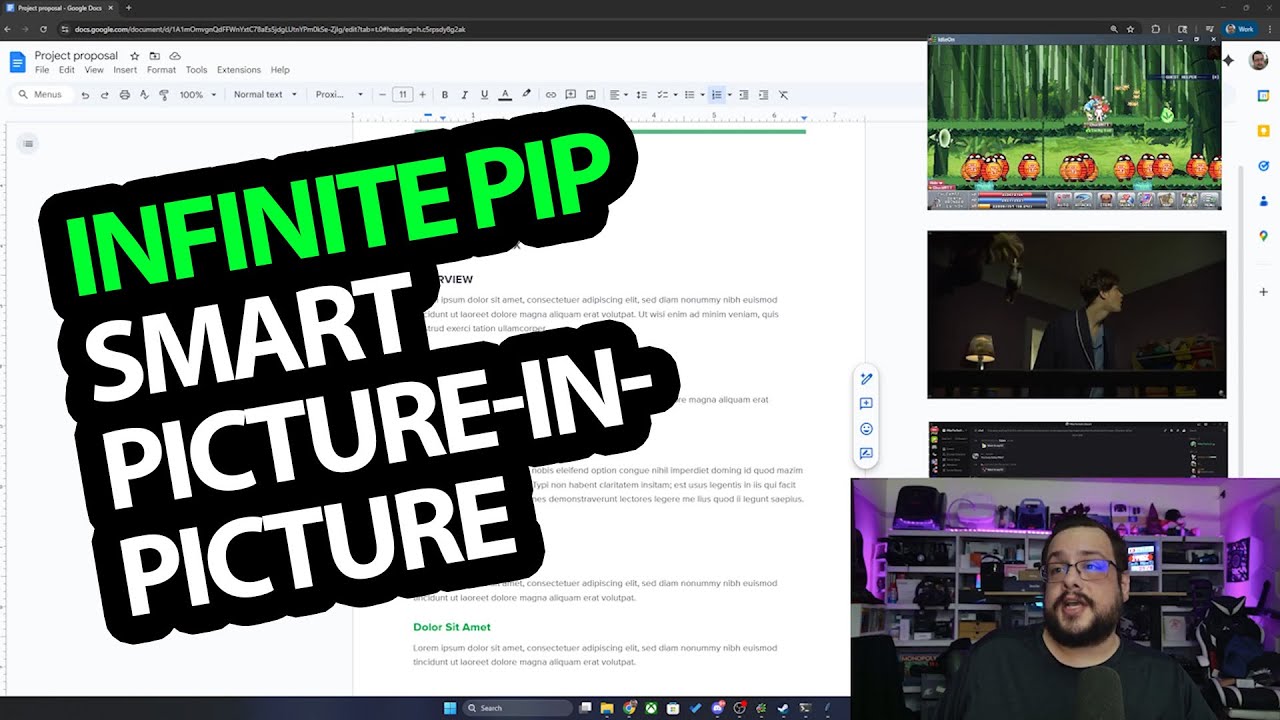
The YouTube player loads when you press Play.
InfinitePIP: Keep Discord, a Game and a Video in View
My Windows app demo: creating multiple views, resizing them and adjusting opacity.
Article published November 4, 2026.
My desktop can get busy pretty quickly. A project is open, Discord is running, there is a game in the background and I still want to keep an eye on a video. InfinitePIP is the Windows app I built for that kind of setup.
In this demo, I turn several of those windows and monitors into smaller picture-in-picture views, then move them around the project I am working on.
Start with a monitor or a window
The app offers monitor, window and region choices, plus a way to manage active views. I first create a view from the monitor where I have Discord, then resize and reposition it.
Next, I select the Legends of IdleOn window. As I change the source window's size, I show the picture-in-picture adjusting with its aspect ratio. I also create a view of the other monitor for YouTube.
Choose what stays in front
Having several views does not mean every one needs to cover the project all the time. I right-click a view and change whether it stays on top, then bring it back when I want to see it again.
I also lower the opacity to about 50 percent. That lets me see the project beneath a view while still keeping the game or video visible.
A demo of the workflow I wanted
The point is having a few adjustable views around the work, instead of constantly rearranging all the original windows. This recording demonstrates those controls; it does not establish capture behavior or performance for every Windows app.
The original itch purchase link remains below. The price and patron offer mentioned in the July 2025 video belong to that recording, so check the current listing for today's terms.
Links from the video
Affiliate disclosure: These links may earn me a commission at no extra cost to you.
- MikeTheTech original Patreon link
- InfinitePIP original itch product link
- Geeksoutfit original clothing-store link
Coupon code: COLLAB1 — Discount amount not stated. Separate Geeksoutfit offer from the original description, not a discount on the reviewed product. No amount or expiry was supplied; check current terms.
Links and offers are from the video description. Availability, prices and offer terms may change.
Some links to other products on this page are affiliate links, and we may earn a commission if you buy through them. It costs you nothing extra, and it has not changed what this article says — where a competitor is the better answer, we say so.


