
The YouTube player loads when you press Play.
A Filing Cabinet Under the TV: My SEDETA 59-Inch Setup
Power connections, adjustable storage and lighting made this file cabinet interesting for my living-room equipment.
Article published November 3, 2026.
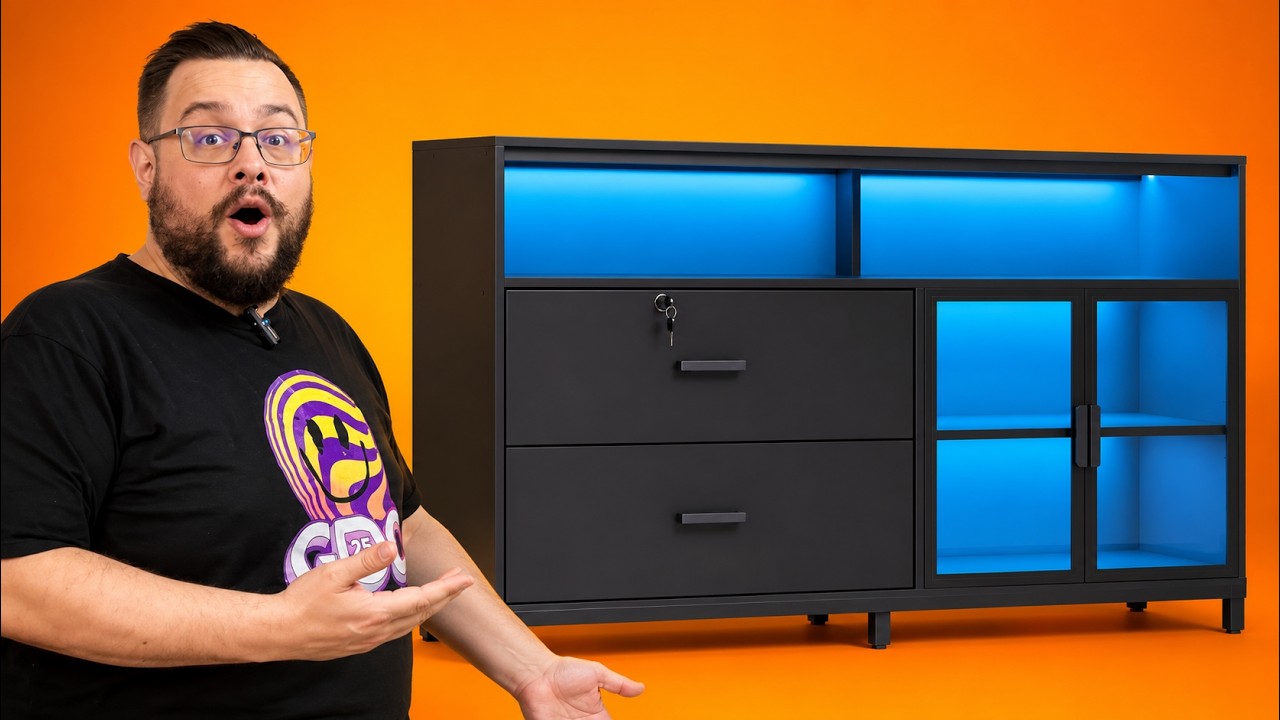
This is sold as a filing cabinet, but I had another job in mind for it. I was putting the SEDETA 59-inch cabinet underneath the living-room TV, with consoles inside and cables running through the opening at the back.
That is what made this one interesting to me. It has the file drawers you would expect from office furniture, alongside power connections, lighting and storage that also work for a home entertainment setup. These notes follow my July 6, 2026 walkthrough.
Power and lighting are built into the cabinet
The top has two power outlets and two USB ports. Having those connections at the furniture is useful when the things you want to plug in are already sitting on or inside it.
The LED lighting has a physical button for changing its color and mode. It also has an app connection for adjusting the settings from a phone. I like having both choices: a control I can reach immediately and a way to change more settings without staying beside the cabinet.
File storage that can become ordinary storage
There are two locking file drawers with removable supports for hanging folders. In the walkthrough, I discussed fitting common paper sizes such as A4 and Letter. The removable rails are the useful part if you have no interest in using a particular drawer for paperwork.
Take the supports out and you can use that space for other things. The acrylic doors on the display section also give the open storage area some separation from the room. For my setup, I liked that the cabinet could hold equipment and still offer drawers for the things I did not want on show.
Assembly took time, but the structure felt solid
I called out the metal supports and bolted connections throughout the cabinet. Putting it together took a little time, but I found the process straightforward and the included tools useful.
I quoted a listed 330-pound top-load rating in the video. That was a product rating I was discussing, rather than a load test I carried out. My comments about sturdiness came from the assembled cabinet and its construction.
A home-office item with another use
The reason I liked it for the TV area was the combination: room for equipment, a cable opening, power at the cabinet and lighting I could adjust. The file-storage features add another possible use rather than dictate what has to go into every drawer.
I mentioned a sale price during the video, but furniture prices change. The original Amazon and SEDETA links are below so you can check the current dimensions, options and price for your own space.
Links from the video
Affiliate disclosure: These links may earn me a commission at no extra cost to you.
Links and offers are from the video description. Availability, prices and offer terms may change.
Some links to other products on this page are affiliate links, and we may earn a commission if you buy through them. It costs you nothing extra, and it has not changed what this article says — where a competitor is the better answer, we say so.


