
The YouTube player loads when you press Play.
ecozy Brezzano Elite: Unboxing the Coffee Machine and Its Guided Controls
The brewing choices, grounds guidance and front panel were the focus of my first look at this countertop machine.
Article published November 3, 2026.
The ecozy Brezzano Elite gave me a good reason to use more than one camera for an unboxing. This is a substantial countertop machine, and I wanted to show both what came out of the box and what happened on its front panel.
In my May 4, 2026 video, I unpacked it, switched it on and explored the brewing controls. The part that caught my attention was how much guidance it put beside the different coffee options.
Several coffee choices in one panel
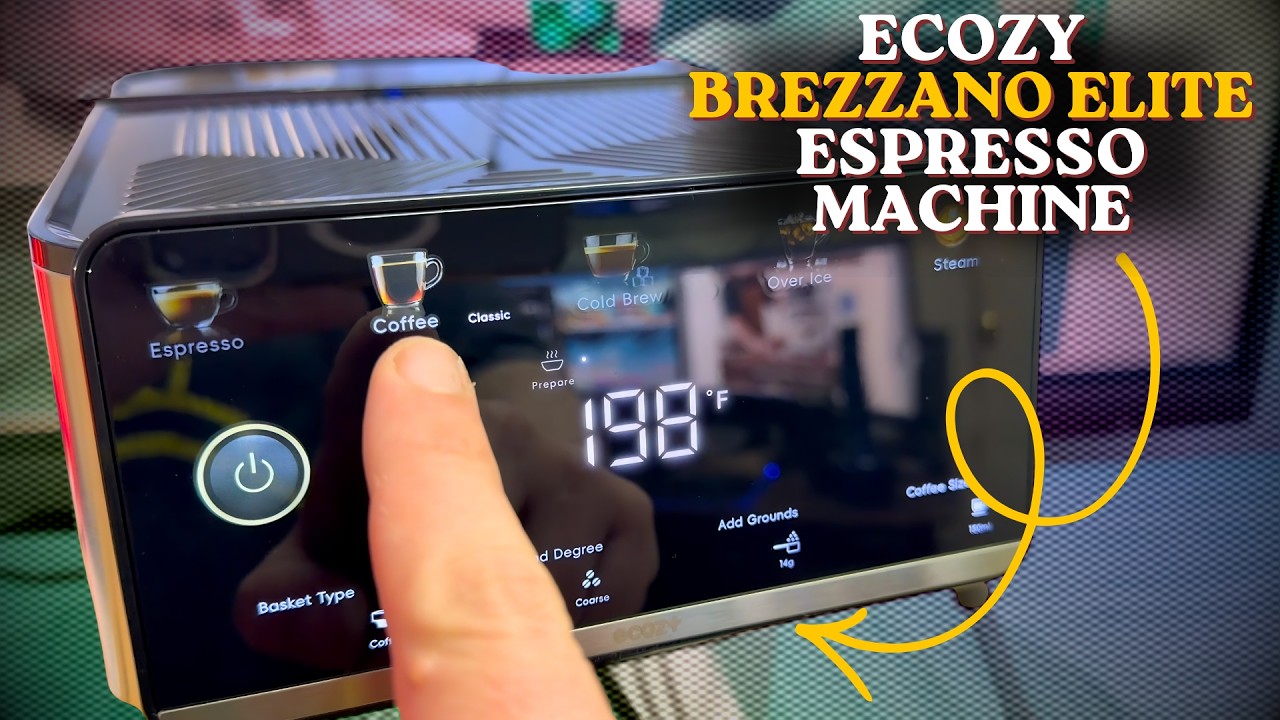
The box described espresso, Americano, cold brew and over-ice modes, with milk steaming as well. Once I powered it on, I could move through the options on the front.
I showed the one- and two-cup choices, the coffee selections and the temperature display. The colored icons looked good, and I pointed out that this was an illuminated icon-style interface rather than treating it as an ordinary full-color tablet screen.
For me, the useful question was how clearly it explained the choice I was making. A machine with several modes can be convenient, but it still needs to make sense before that first cup.
The grounds guidance is easy to appreciate
As I tapped through the options, the panel showed coffee sizes and information about the grounds required. That is the kind of small detail I like: you do not have to keep every combination in your head just to use a different setting.
The quick-start guide also showed the control panel, and I took a look at the included tools and the handle for the coffee grounds. The video is useful for seeing how those pieces and the interface fit together.
Leave room around it
I turned the machine around to show the water reservoir and pointed out the outlets at the front. Seeing it outside the packaging gives a better sense of the space it needs than a tightly cropped product picture.
I also looked at the steaming and self-cleaning options. Follow the supplied care instructions for the machine you receive; my initial walkthrough was not a long-term maintenance test.
This was the opening look
I ended the video ready to try making coffee. I had not presented a taste comparison, a timed heat-up test or a demonstration establishing how its cold-brew and over-ice results compared.
What I could show at that point was the hardware, the controls and the guidance on the panel. Those were the reasons I wanted to spend more time with it. Watch the video above for that first look, and use the original product link below to check the current listing.
Links from the video
Affiliate disclosure: These links may earn me a commission at no extra cost to you.
Links and offers are from the video description. Availability, prices and offer terms may change.
Some links to other products on this page are affiliate links, and we may earn a commission if you buy through them. It costs you nothing extra, and it has not changed what this article says — where a competitor is the better answer, we say so.


