 Early access
PolygoneGames · Gaming
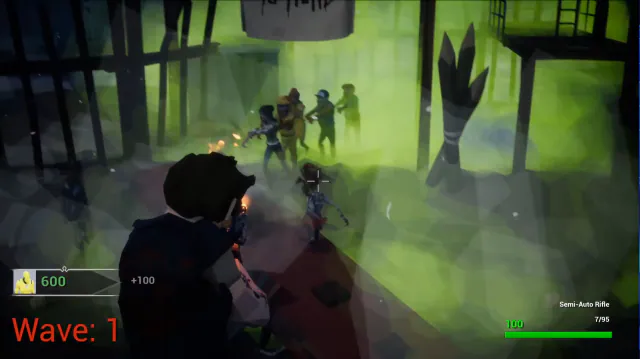
A low-poly zombie-horde FPS: hold off endless waves solo or in co-op.
$9.99Early accessWindows

3D dice for tabletop games: D4 to D100 on a table they can't fall off.
A D12 mid-roll on the wooden table, the other red dice lined up at the edge; the top bar shows the latest result for D4 through D100, with controls along the bottom and a fireplace, guitar and shelves around the room.
Free 3D Dice Roller was a Windows app for tabletop players: a full set of dice (D4, D6 with dots or numbers, D8, D10, D12, D20 and a D100 tens die) on a wooden table in a 3D room with a fireplace. It was made for Dungeons & Dragons adventures or any game that needs dice, and the table is built so the dice can never fall off.
To roll, right-click to grab a die and drag it to the center of the table, then left-click to give it an impulse. A bar along the top shows the latest result for every die so rolls are easy to confirm, and M toggles the audio.
It was released free (name your own price) on itch.io in 2021 and is no longer offered for download.
Right-click to grab the die you want and drag it to the center of the table, then left-click to apply an impulse and roll it.
A low-poly zombie-horde FPS: hold off endless waves solo or in co-op.



Free-to-play 3D survival roguelike: pick a hero and survive the waves.