
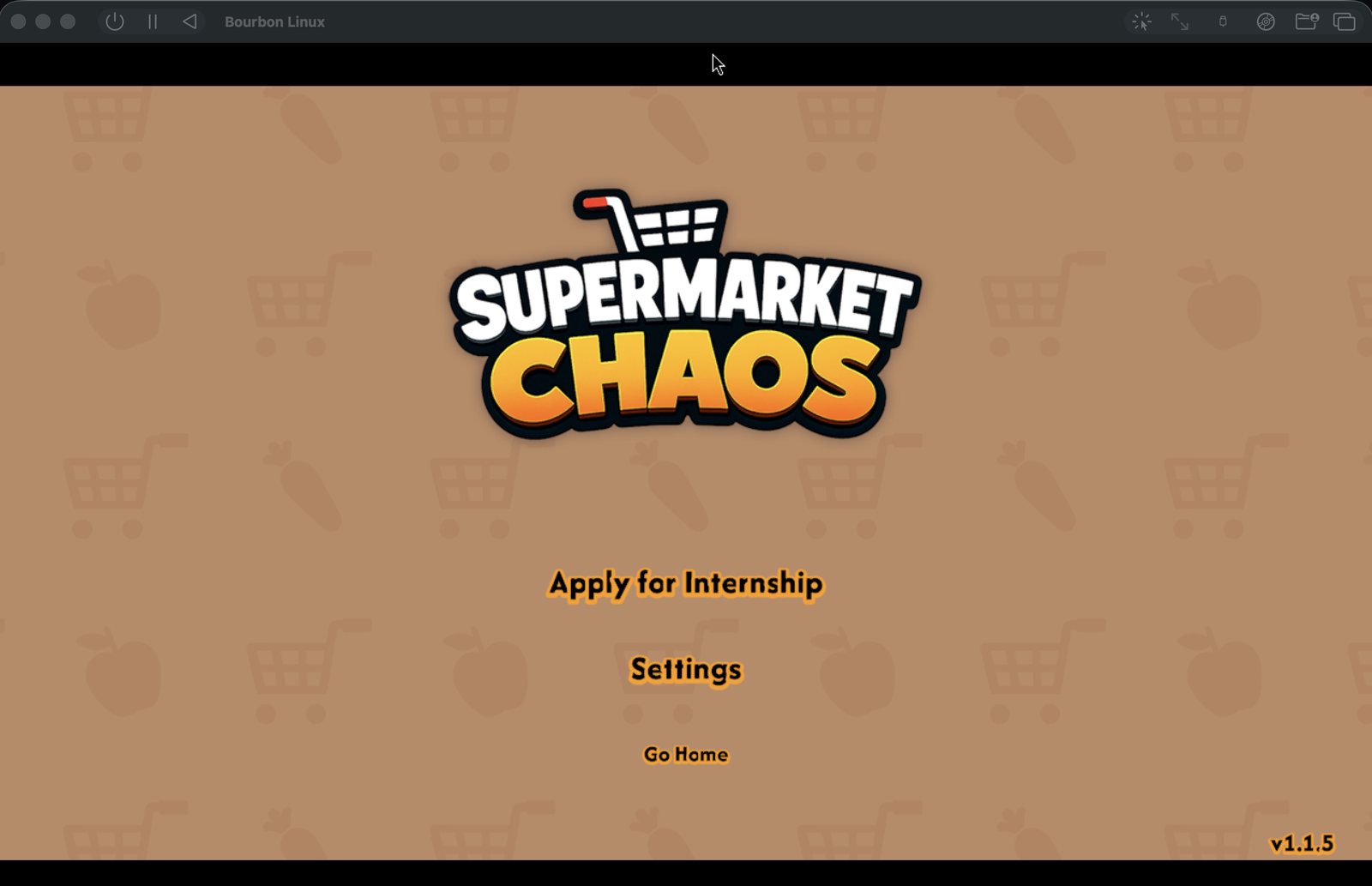
It opens in Game Mode — the Steam Deck's interface — and runs Steam's own first-run setup.
In development
Coming to Bourbon 26
ARM64 gaming OS · SteamOS-style
Power on. Straight into Steam.
Bourbon OS is PyroSoft's lean ARM64 gaming operating system. It signs itself in and opens native ARM64 Steam in Game Mode — FEX translates x86 game code, Proton runs Windows games through Steam, and there's no desktop in the way. It's built on Fedora 44 for virtual machines on Apple Silicon Macs, with an installer for ARM64 hardware in the works.
Native ARM64 Steam
FEX + Proton
Fedora 44 base
No account or games baked in
What's in the image
A gaming stack, and not much else.
Bourbon OS is not a general-purpose desktop. Everything beyond the gaming stack is left out, so the image stays light and the session stays quick. No Steam account, games or purchases are ever baked in.
Its Arch Linux rootfs is pinned by URL and SHA-256 in the build manifest.
Bourbon adds a DXVK build patched for a VM's virtual GPU, and re-applies it after Proton updates.
In a VM, UTM's VirtIO GPU hands rendering to macOS through Venus (Vulkan) or VirGL (OpenGL).
It can't start on a VM's virtual GPU, so in a VM Steam draws Game Mode itself. A Gamescope-driven Game Mode on hardware is on the roadmap.
WirePlumber and ALSA round out the audio stack.
Plus hidapi, libusb and uinput, with the Bourbon user in the input group.
Give the VM a bigger disk and the OS expands into it on the next start — nothing to repartition.
How it boots
Console-style, start to finish.
There's no login screen and no desktop to click through. The OS exists to get Steam on screen.
Firmware and kernel
UEFI boots a Fedora 44 aarch64 kernel behind a Bourbon Linux splash screen instead of scrolling text.
Automatic sign-in
LightDM logs the Bourbon user straight in. The root account is locked and there is no guest session.
A minimal session
Openbox starts — a window manager, not a desktop environment. No GNOME, no KDE.
Steam, in Game Mode
Native ARM64 Steam opens in the Deck's interface. If it ever exits, the session starts it again.
First boot takes longer: Steam's runtime, Proton and the patched graphics layer are set up then. A "still setting up" window reports each real step, so the wait doesn't look like a hang.
Two builds, one OS
A VM image for Macs. An installer for ARM64 hardware.
Both are made from the same guest setup — the same Steam, FEX and session scripts — so the OS in a UTM window and the OS on a disk are the same OS.
It is ARM64 only. There is no x86 build of Bourbon OS.
Baked headlessly in QEMU from a pinned Fedora 44 Cloud image. The current bake is BourbonOS 2026.07.16.0 for aarch64, about 4 GB compressed. It has not been released.
Production media builds with lorax on Fedora aarch64, natively or in a Podman/Docker container. No installer ISO has been released, and branded installer artwork is still on the roadmap.
The default image carries no Flatpak, GNOME, KDE, Firefox or office suite. The software profile adds Flatpak, Firefox and a few small utilities.
In Bourbon 26
Coming to Bourbon 26 as a Steam appliance.
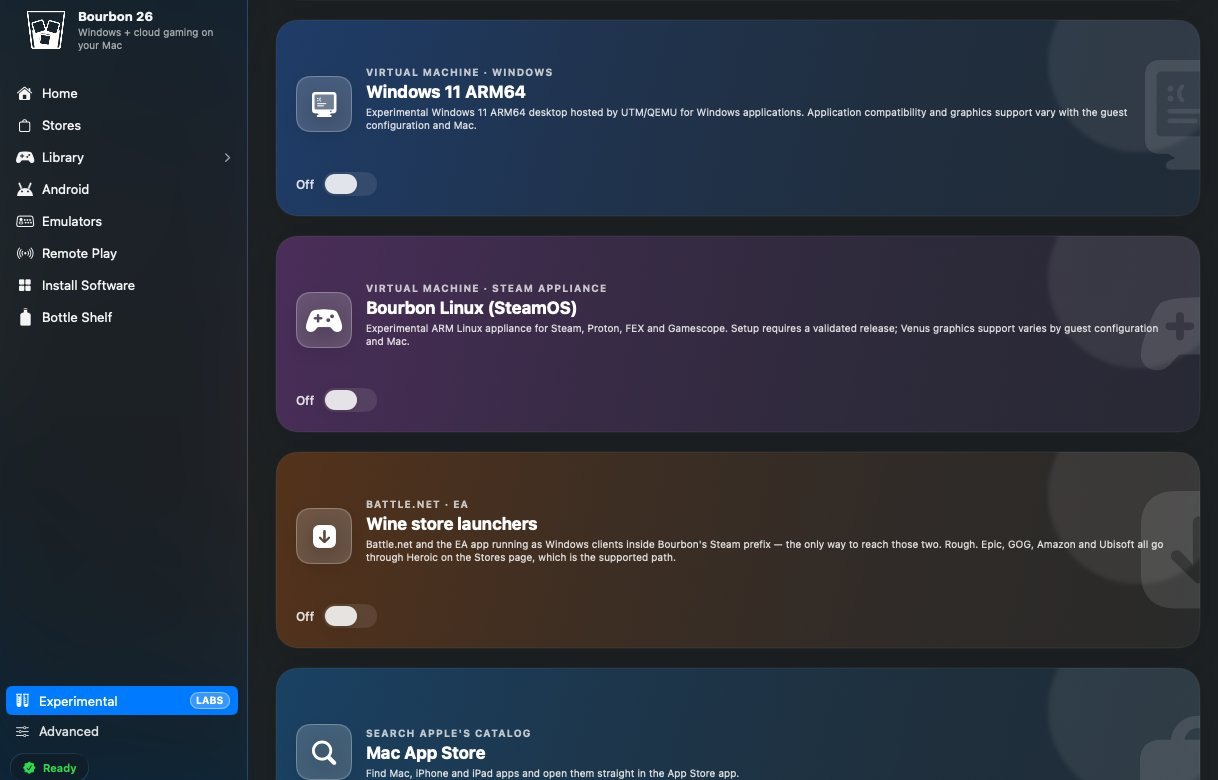
Bourbon 26 treats Bourbon OS as one of its OS Experience editions — in the app it's called Bourbon Linux (SteamOS). Bourbon sets it up as a virtual machine on stock UTM, sized to your Mac, and uses a guest agent to check on it, restart Steam, launch a game you own, or run a repair.
Your Steam library stays outside the VM, in a folder on the Mac or an external drive shared into the guest — so resetting the VM leaves your games alone.
Today it's an experiment on Bourbon's Experimental page, off by default. Setup stays locked until a validated image ships.
Status — honestly
It boots into Steam. It isn't released.
Bourbon OS runs in internal testing. It is not available to download: in shipping Bourbon 26 builds it's a switch on the Experimental page, off by default, and new setups stay locked until a validated image is ready. There is no ship date.
Working in internal testing
- A VM image baked from a pinned Fedora 44 aarch64 base — the current build is BourbonOS 2026.07.16.0.
- In a UTM virtual machine it boots, signs itself in and brings Steam up in Game Mode.
- FEX with its Arch Linux rootfs, GameMode, PipeWire, Steam Input and the grow-on-boot root filesystem are all in the image.
- A lean package profile by default, with the optional software layer kept separate.
- A Steam game reached its title menu inside the VM — the capture at the top of this page, 3 August 2026.
Not yet
- No public download. The OS has moved on since the 2026.07.16.0 bake, so a fresh image has to be baked and boot-tested before Bourbon 26 will set one up.
- No GPU passthrough: in a VM, graphics are paravirtualised through UTM, and performance isn't expected to match Bourbon's own Wine path on macOS.
- Direct3D games need the VM's Vulkan driver to offer what DXVK requires. Where it can't, they fall back to much slower CPU rendering.
- One session only — no Desktop Mode yet, and no SteamOS-style switch between the two.
- No installer ISO release, no Bourbon first-boot setup wizard of its own, and no Secure Boot–signed install media.
- No performance figures are published.
Under the hood
The key inputs, pinned.
The key upstream inputs — the Fedora base image, the FEX rootfs and the Steam bootstrap — are checked against SHA-256 digests recorded in the build manifest. Fedora's own packages come from the Fedora 44 repositories and Proton is downloaded by Steam, so those aren't pinned to a digest.
| Architecture | ARM64 (aarch64) only |
|---|---|
| Base | Fedora 44 — Fedora Cloud Base 44 for the VM image, Fedora Everything 44 for the installer |
| Boot & session | UEFI → LightDM autologin → Openbox → Steam. No desktop environment. |
| Steam | Valve's native linuxarm64 client, Steam Deck public beta channel, launched in Game Mode |
| x86 & Windows games | FEX (fex-emu and its thunks) with a pinned Arch Linux rootfs; Proton via Steam, with a DXVK build patched for virtual GPUs |
| Graphics | Mesa Vulkan and OpenGL; Gamescope included. In a VM: VirtIO GPU through Venus or VirGL, plus a Safe Display recovery profile. |
| Audio | PipeWire, WirePlumber, ALSA |
| Controllers | Steam Input, steam-devices udev rules, hidapi, libusb, uinput |
| Performance | GameMode; kernel limits raised for games (for example vm.max_map_count) |
| Accounts | Root account locked. One Bourbon user, signed in automatically. No credentials or Steam tokens in the image. |
| Host control | qemu-guest-agent and bourbon-guestctl: status, Steam restart, launch an owned game by Steam App ID, repair |
| Builds | VM qcow2 (preinstalled, sparse, resizable) · installer ISO (Anaconda/kickstart, built with lorax) |
| Current bake | BourbonOS 2026.07.16.0, aarch64 — internal, not released |
| Licence | Proprietary. Fedora, Steam, FEX, Mesa and the other upstream components keep their own licences. |
Questions people actually ask
FAQ
Can I download Bourbon OS?
Not yet — there is no public build. Bourbon OS is coming to Bourbon 26, which will set it up as a virtual machine for you once a freshly baked image passes its final boot test. There's no date.
Is Bourbon OS SteamOS?
No. It's PyroSoft's own OS, built on Fedora 44 and styled after SteamOS: it boots into Valve's ARM64 Steam client in Game Mode, the same interface a Steam Deck uses. It isn't made or endorsed by Valve.
Why does Bourbon 26 call it Bourbon Linux?
BourbonLinux is the project's code name; Bourbon OS is the brand. Inside Bourbon 26 the edition is currently labelled "Bourbon Linux (SteamOS)".
Do I need a Steam account?
To use Steam, yes — you sign in with your own. The image ships with no Steam account, no games and no purchases in it.
Will my games run?
Steam itself runs natively on ARM64. Games are another matter: their x86 code goes through FEX, Windows games also go through Proton, and in a virtual machine the graphics are paravirtualised, because a Mac can't hand its GPU to a guest. No title is promised to work, and performance isn't expected to match Bourbon's own Wine path. For Windows games on a Mac today, use Bourbon 26.
What does it run on?
ARM64 (aarch64) only. The main target is a virtual machine on an Apple Silicon Mac, under UTM or QEMU. The installer ISO is for bare-metal ARM64 machines; it hasn't been released, and a device support list — Apple Silicon VMs, QEMU virt and selected ARM single-board computers — is on the roadmap.
Is Bourbon OS open source?
No. Bourbon OS is proprietary and its source is private. The projects it's built from — Fedora, FEX, Mesa, Gamescope and others — keep their own licences, and Steam is Valve's. PyroSoft's open-source Bourbon work lives in Bourbon-OSS.
Where Bourbon OS lands
The OS is Bourbon OS. The app is Bourbon 26.
Bourbon 26 brings Windows and cloud gaming to your Mac today. Bourbon OS is headed there as a Steam appliance you can switch on — once a validated image ships.