# Notepad++ on Mac
> Notepad++, PuTTY, WinSCP and the small Windows utilities worth keeping on your Mac — and the native swaps worth taking instead.
Canonical page: https://pyrosoft.pro/blog/notepad-plus-plus-on-mac
Published: 2026-07-26
**Notepad++ has no Mac build** — but it runs beautifully through a translation layer, and so do most of the small Windows tools people miss. When to translate, and when a native swap is honestly better:
Most people buy Bourbon for the games. They stick around for a much more boring reason: three or four small Windows utilities they've used for fifteen years and have never found a Mac replacement they actually like.
These are good candidates. Small, self contained, no GPU needed, no phoning home to a license server.
## The ones that work well
Bourbon ships a curated catalog that installs these from their official sources. The ones marked Recommended, meaning they install and launch cleanly:
- [Notepad++](), the editor people actually miss on macOS. Installer UI shows up as expected, just accept the defaults.
- [PuTTY](), small MSI installer. Network behavior can vary under Wine so test your own connections.
- [WinMerge](), lightweight diff tool and a good first thing to try if you just want to confirm your setup works.
- [SumatraPDF](), small native installer, solid document viewer smoke test.
- [ImageGlass](), lightweight image viewer. File associations might need setting up by hand.
- [WinDirStat](), disk usage visualizer.
- [BleachBit](), cleanup utility.
Read those last two carefully. BleachBit and WinDirStat only see inside the Wine prefix. They're not Mac system cleaners and they can't touch your real disk. That's a safety feature, not a bug, but it does make them less useful here than on Windows.
## The ones to test first
These install fine, but their whole job involves talking to the outside world, which is where Wine gets less predictable.
- [WinSCP](), file transfer. Network tools vary with Wine's networking, so check it against your actual servers.
- [ShareX]() and [Greenshot](), screen capture. Global hotkeys and system wide hooks are exactly the kind of thing that doesn't cross the boundary cleanly. Test before you rely on them.
- [Everything](), whose search index only covers the Wine prefix, and the NTFS service behavior it depends on isn't native here.
## The honest caveat
For several of these, macOS already has a great native equivalent, and a native app beats a translated one every single time. Bourbon's catalog policy is blunt about it: anything with a real Mac build gets removed from the list entirely, because running a Mac app through Wine is just worse than installing the Mac version.
So this isn't "run all your Windows utilities on a Mac". It's that for the specific tools where the Windows version is the one you want and no Mac build exists, Bourbon installs them in a couple of clicks and keeps them working.
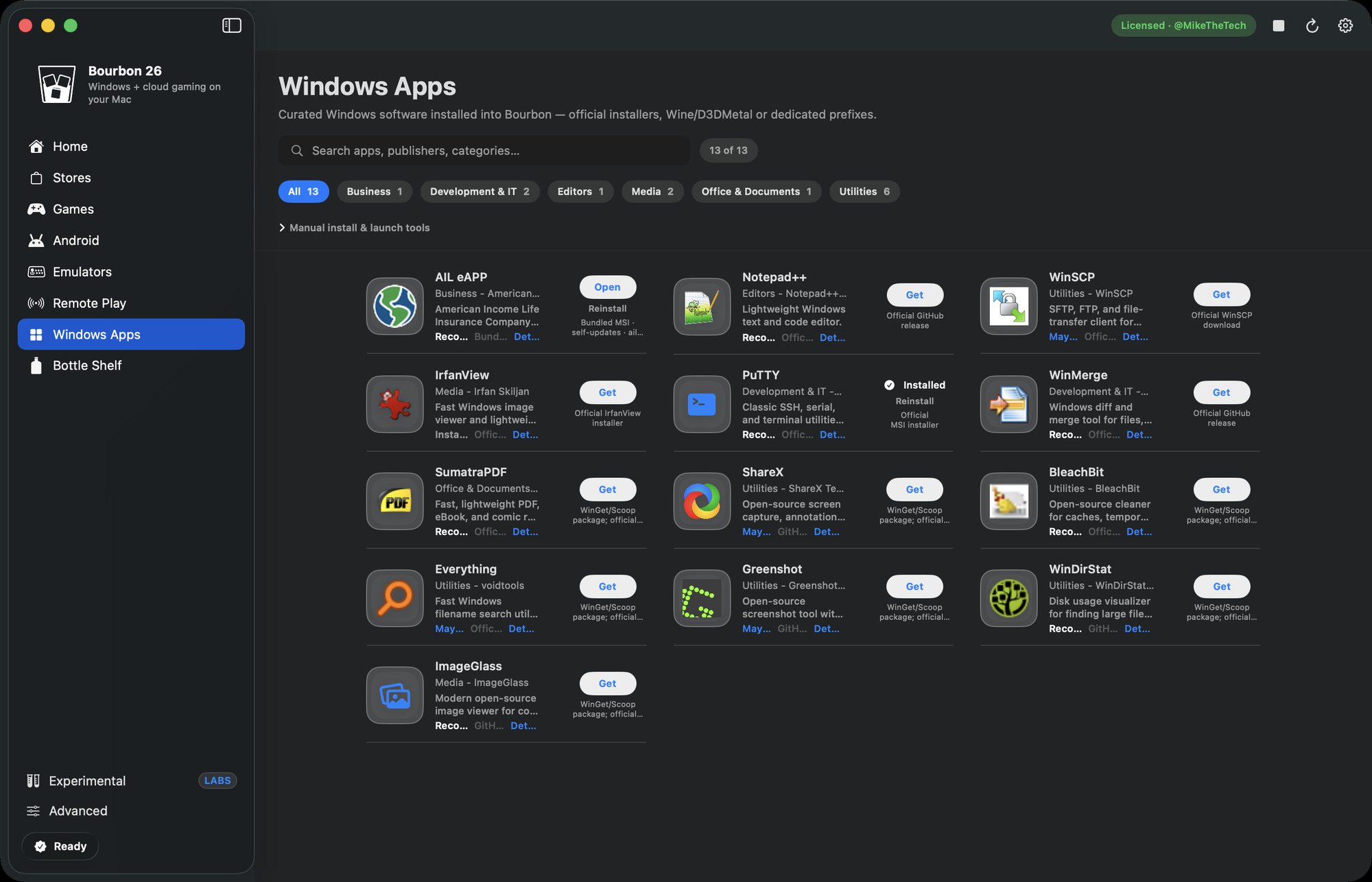
Curated installs pull from each project's official source.
### Bottom line
This is often the thing that finally gets the PC off your desk. Bourbon installs these from their official sources with no hunting, and the same $29.99 covers your Steam library and your streaming too. CrossOver would run them as well, at $74 every year and without the games side.
[Buy Bourbon 26, $29.99]()